
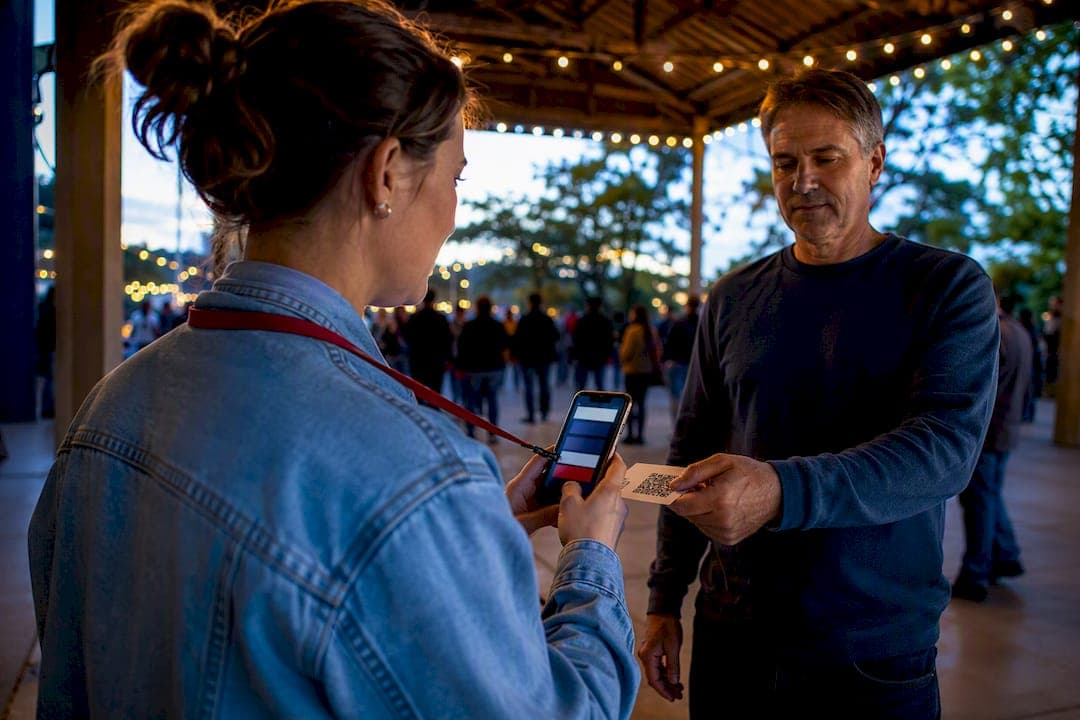
Every attendee record you fail to log tonight becomes a cold contact tomorrow. Event follow-up tracking means logging who showed up, tagging their attendance and interest level in one central system, and following up while the encounter is still fresh. Do it within 24 hours of the event, and personalize outreach in the 12 to 36 hours after that. A platform like Campaign Buddy HQ makes the capture and sequencing part fast enough to actually happen every time.
TL;DR:
- Accurate and immediate data entry at the event is essential; skipping steps or relying on memory renders contacts unrecoverable.
- Use digital tools like QR codes, tablets, or trained volunteers for real-time capture, with paper rosters as a strict 24-hour fallback.
- Prioritize rapid, personalized follow-up within 36 hours, adjusting the channel based on the contact’s score and interaction behavior.
- Integrate event data directly into your CRM to automatically update contact scores, tags, and trigger appropriate follow-up sequences.
- Personalize messages by referencing specific interactions and build templates that adapt to contact roles, issues, and engagement levels.
Table of Contents
- The Fields You Need to Capture at Every Event
- Real-Time Capture Methods and Your 24-Hour Fallback
- Score and Route Every Contact So Nobody Falls Through
- Timing and Templates: What to Send, and When
- How to Know Your Follow-Up Actually Happened
- How Campaign Buddy HQ Handles the Whole Workflow
- Handling Attendee Data Without Creating a Legal Headache
- Connecting Follow-Up Tracking to Your CRM and Automation Tools
- Making Follow-Up Feel Personal Instead of Automated
- Why Most Campaigns Get Follow-Up Backwards
- Get Your Team's Follow-Up Running Inside a Day, Not a Week
- Sources
The Fields You Need to Capture at Every Event
Sloppy data entry is the reason follow-up dies. If a volunteer jots a name on a clipboard with no phone number or tag, that contact is functionally lost, no matter how good your text templates are later.
Every attendee record needs four categories of information, captured at the moment of contact, not reconstructed from memory afterward.
- Contact fields: full name, phone number, email, and preferred contact channel (text, call, or email).
- Event tags: attendance status (attended, registered but no-show, walk-in), which session or precinct they connected through, and their role (voter, volunteer, donor, press).
- Interest and pledge fields: issue tags they raised, stated volunteer interest, and any donation intent they mentioned out loud.
- Administrative metadata: timestamp of capture, method used (QR form, tablet, paper), and the name of the volunteer or staffer who logged it.
That last category matters more than teams expect. When a record looks wrong three weeks later, knowing who captured it and how is the fastest way to fix it without guessing.
Real-Time Capture Methods and Your 24-Hour Fallback
Digitizing a physical contact in real time or within 24 hours keeps a warm lead warm. Wait longer than that and enthusiasm cools fast, especially for a supporter who talked to you for ninety seconds and then went home to their regular life.
Three capture methods cover almost every campaign event:
- QR code sign-in forms printed on table tents or handed out at the door, linking to a mobile form that takes under a minute to complete.
- Tablets at a check-in table, staffed by someone trained to enter data as attendees arrive rather than batching entries at the end.
- Trained volunteers with phones, logging quick notes directly into your central system during lulls in the event.
When none of that is possible, the fallback is a paper roster with a named owner and a hard deadline. Assign one person to transcribe every paper sheet into the system within 24 hours of the event ending, no exceptions, and confirm it happened before anyone goes home.
Run a short volunteer training before doors open: how to phrase the contact-info ask, what the mandatory fields are, and how to log a "not interested" without skipping the record entirely. Skipping disinterested contacts creates gaps that make your turnout data unreliable.
Before any record ships to your outreach system, dedupe against existing contacts and confirm consent was logged for the channel you plan to use.
Pro Tip: Assign the transcription deadline before the event starts, not after. A deadline set in the postmortem never gets enforced.
Score and Route Every Contact So Nobody Falls Through
Not every attendee deserves the same follow-up speed. A volunteer who worked your phonebank all night needs a different response than someone who scanned your QR code and left without talking to anyone.
A simple three-tier score keeps this decision fast instead of debatable:
- Hot (8 to 10 points): attended, spoke with staff, expressed volunteer or donation interest, or has a history with the campaign.
- Warm (4 to 7 points): attended but had limited interaction, or registered and showed up with no direct conversation logged.
- Cold (0 to 3 points): registered but no-show, or a walk-in with no tag beyond attendance.
Layer a simple tag taxonomy on top: volunteer, donor, undecided voter, issue-specific supporter. A contact can carry more than one tag, and that overlap is often where your best next action lives.
Routing follows the score. Hot contacts get a personal call or text from a staffer within hours. Warm contacts go into a same-day templated text or email. Cold contacts enter an automated nurture sequence with no immediate ask attached.
Behavior should override the original score at any point. If a cold contact replies to an automated email asking how to volunteer, that reply should bump them straight into human follow-up regardless of where they started.
Timing and Templates: What to Send, and When
Timing decides whether your follow-up lands as thoughtful or gets ignored as noise. Send too fast with the wrong ask, and you burn the relationship you just built.
The timing windows that actually work:
- Same day, evening of the event: personal thank-you texts to volunteers who worked a shift. A States Win case study found that individualized evening texts to phonebank volunteers, rather than a mass thank-you blast, measurably increased repeat sign-ups.
- 12 to 36 hours after the event: attendee follow-up emails recapping the event and stating one clear next step. CampaignTrend's guidance puts this window at the sweet spot for reinforcing the message while it's still fresh.
- 48 to 72 hours after: a second touch for anyone who hasn't responded, shifting from email to text or a phone call depending on their tag.
Channel choice should follow the score, not habit. Hot contacts get a call or personal text. Warm contacts get email with a text follow-up if there's no response. Cold contacts stay in email until behavior says otherwise.
Every template needs three things: a personal detail tied to that specific event, one clear next action (RSVP to the next event, sign up for a shift, share a post), and no immediate donation ask. CampaignTrend's research backs this directly. First-touch follow-up should skip the fundraising pitch and focus on appreciation and a small, specific commitment instead.
Automation should carry the load for warm and cold contacts, but the moment anyone replies, clicks a scheduling link, or asks a direct question, that's your signal to pull them out of the sequence and hand them to a human. Tools like AmmarAI's follow-up generator can speed up drafting personalized notes at volume, but a real reply still needs a real person on the other end.
Pro Tip: Write your "stop automation" trigger list before you launch a sequence. If you wait until someone replies to decide what counts as a trigger, you'll miss the window.
How to Know Your Follow-Up Actually Happened
Tracking activity without checking outcomes is how campaigns convince themselves they're doing better than they are. Five numbers tell you the truth:
- Follow-up rate: percentage of attendees contacted within your target window.
- Response rate: percentage who replied to any follow-up channel.
- Conversion to next action: percentage who volunteered, donated, or registered as a result.
- Time-to-first-contact: median hours between event end and first outreach attempt.
- Outstanding task count: how many attendee records still have no follow-up logged, checked daily.
A dashboard doesn't need to be complicated to be useful. A running list of outstanding tasks sorted by time since capture, paired with a weekly audit that spot-checks ten random records for missing tags or dead phone numbers, catches most problems before they compound.
Time-to-record matters as much as time-to-contact. Digital check-in tools that speed up the capture step can cut check-in processing time by up to 50% compared to paper rosters, which shortens the gap between "attended" and "logged" that so many campaigns lose track of.
How Campaign Buddy HQ Handles the Whole Workflow
Most of what breaks event follow-up isn't a strategy problem. It's a tooling problem: too many spreadsheets, no shared record, no reminder when a hot lead sits untouched for three days. Campaign Buddy HQ was built around the exact sequence above.
- Mobile capture lets volunteers log attendee contact info and tags on their phones during the event, not after.
- Tagging and scoring fields map directly to the hot, warm, cold structure, so routing decisions happen automatically instead of in someone's head.
- Automated sequences handle the 12 to 36 hour and 48 to 72 hour windows, with triggers that flag a contact for human follow-up the moment they respond.
- Dashboards surface outstanding tasks and time-to-first-contact so a campaign manager can spot a stalled follow-up before it goes cold.
A minimal useful setup takes one event and one trained volunteer to prove out. Most teams see the payoff in fewer missed follow-ups and a higher rate of repeat volunteer sign-ups within the first month.
Handling Attendee Data Without Creating a Legal Headache
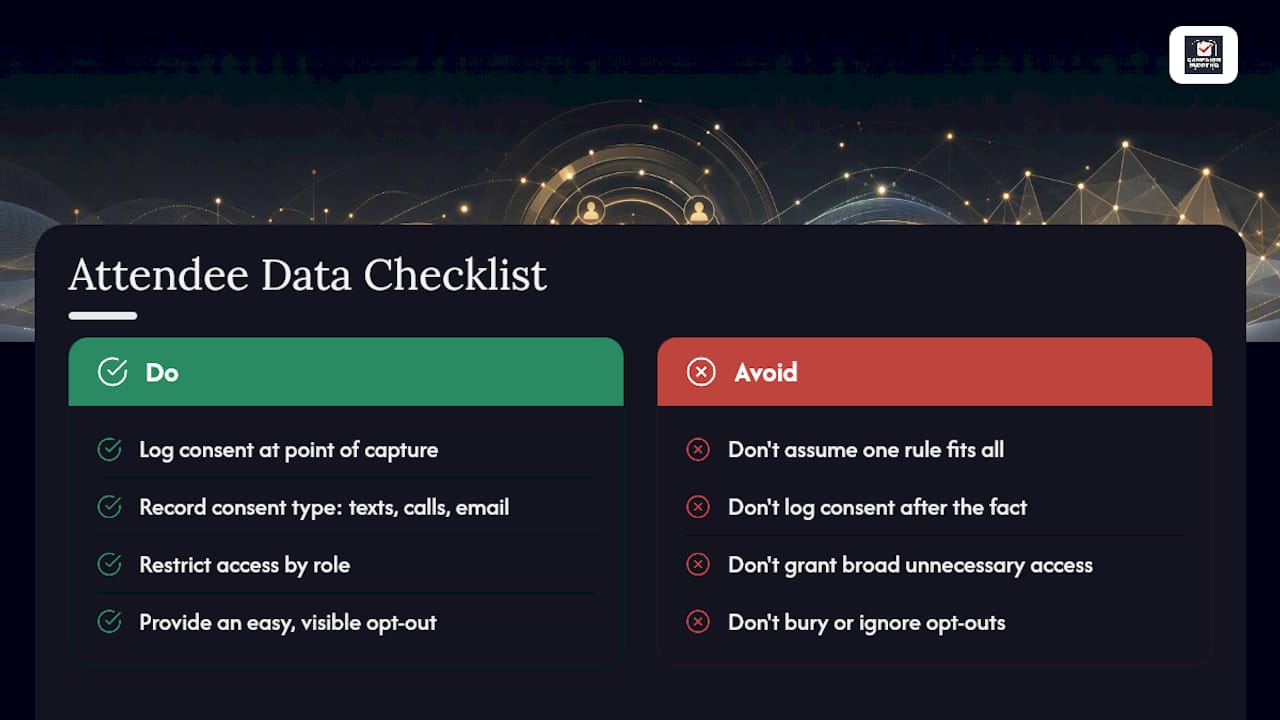
Collecting names, phone numbers, and issue interests at a rally isn't a gray area, it's personal data, and how you handle it matters legally as well as ethically. If your campaign has supporters in the European Union, GDPR governs how that data is stored and used, including a person's right to ask what you have on them and have it deleted. Campaigns contacting California residents need to account for CCPA rules on disclosure and opt-out rights. The specific obligations depend on where your contacts live and how your organization is structured, so check current guidance for your jurisdiction rather than assume one rule fits every state or campaign type.
The practical fix is simple: log consent at the point of capture, not after the fact. When someone hands you their phone number at a canvass, note whether they agreed to texts, calls, or just email, and record it in the same field as the rest of their data. This single habit prevents most compliance headaches before they start.
Give every volunteer and staffer access only to the data they need for their role. A phone-bank volunteer doesn't need donor history, and a fundraising staffer doesn't need raw canvass notes. Tiered access limits exposure if a device is lost or a volunteer leaves the campaign mid cycle. Build an opt-out process that's actually easy to use, not buried in fine print, because an unhonored opt-out request is the fastest way to turn a supporter into a complaint.
Connecting Follow-Up Tracking to Your CRM and Automation Tools
An event record that lives only in a spreadsheet is a record that never gets acted on. The real value of event follow-up tracking shows up when attendee data flows straight into your CRM and triggers the automation sequences you've already built for supporters, donors, and volunteers.
That means your check-in form, whether it's a QR code or a tablet entry, should write directly into the same system where your call lists, text sequences, and email drops already live. No exporting a spreadsheet three days later and hoping someone remembers to upload it. When the event tag applies at the point of capture, it can immediately kick off the right nurture sequence without anyone manually sorting the list afterward.
This integration also protects your scoring system. If a contact's hot/warm/cold status and tags exist only on paper, they get stale the second the next event happens and nobody updates them. A connected system lets a behavior, like clicking a volunteer sign-up link, automatically re-score the contact and reroute them into the right workflow, which is the kind of update no manual process reliably catches. Campaigns running outreach tracking across doors, calls, and texts get more value when event data lives in that same pipeline instead of a separate silo.
Making Follow-Up Feel Personal Instead of Automated
A supporter can tell within one sentence whether a message was written for them or blasted to a list of five thousand people. The data you captured at the event, their issue tags, their role, the specific thing they said, is what makes the difference.
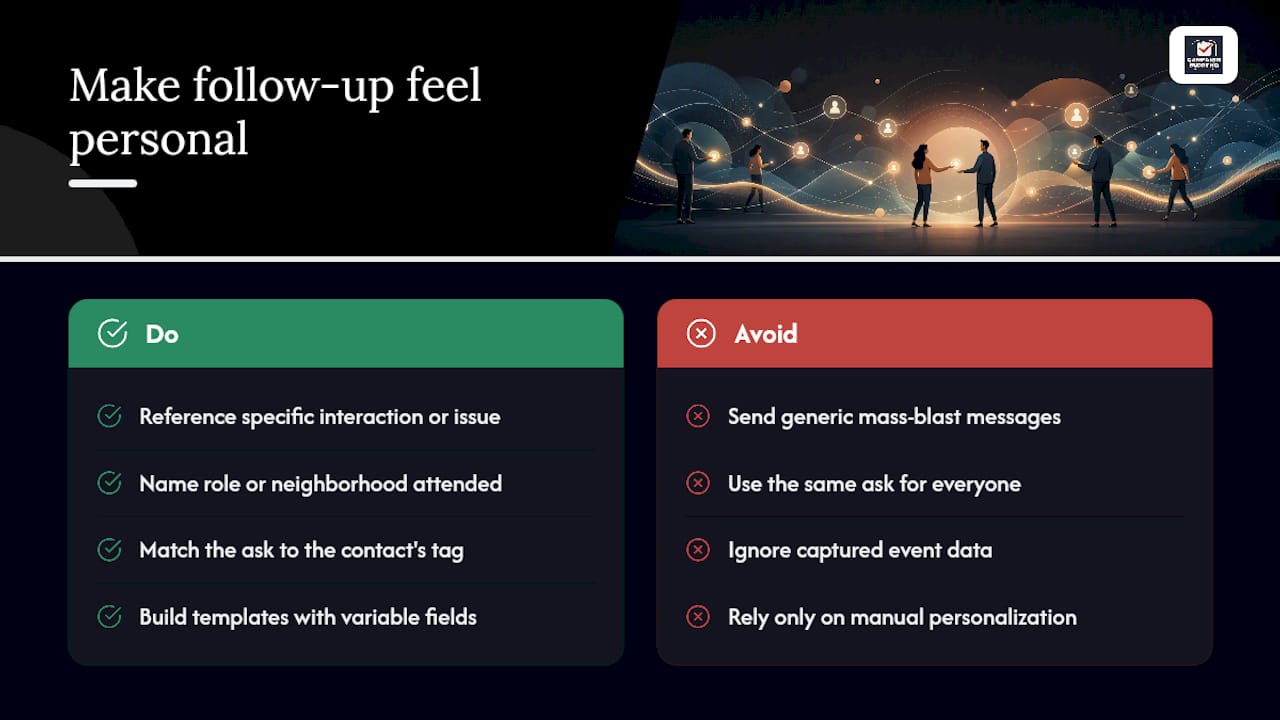
Reference something concrete from the actual interaction. If someone raised a specific issue at your town hall, mention that issue by name in your follow-up instead of sending a generic recap. If a volunteer worked a canvass shift, name the neighborhood they covered rather than a vague thank-you. This is the same principle behind the States Win result: individualized texts outperformed mass blasts because volunteers felt seen, not processed.
Match the ask to the tag. A donor-tagged contact who attended a fundraiser gets a different next step than a first-time volunteer who showed up to knock doors. Sending the same "please donate" template to both ignores the very data you spent the event collecting.
Keep personalization sustainable by building templates with variable fields for name, event, issue, and role, then filling those fields from your tags rather than writing every message from scratch. Teams overwhelmed by manual personalization can lean on AI drafting tools to generate first drafts at volume, then a human reviews and sends. That combination keeps messages both personal and possible to produce for a list of any size.
Why Most Campaigns Get Follow-Up Backwards
Most campaigns treat event follow-up like a fundraising funnel. Get someone in the room, get their info, hit them with a donation ask within 48 hours. That approach gets the sequence backwards. The strongest evidence available points the other way: personal, low-pressure contact builds retention, and retention is what actually compounds into money and volunteer hours down the line.
The conventional advice on timing isn't wrong, it's incomplete. Sending an email within 36 hours is good practice, but a templated blast sent fast is still a templated blast. What moves the needle is pairing that speed with an actual reference to what the person did or said at the event. Speed without personalization gets you an open rate. Personalization without speed gets you a stale contact. You need both.
If your campaign can only fix one thing this cycle, fix the 24-hour capture window. Everything downstream, scoring, sequencing, personalization, depends on the record existing and being accurate in the first place. A perfect follow-up template sent to a contact with no phone number and a misspelled name accomplishes nothing.
— Billy
Get Your Team's Follow-Up Running Inside a Day, Not a Week
Spreadsheets and sticky notes can technically track event follow-up, but they fall apart the moment two volunteers log the same contact differently or a staffer forgets to export the tablet form. The platform is built for workflows including mobile capture at the door, tagging and scoring, and automated follow-up sequences.
It is designed to support candidates and advocacy groups running events in various community contexts, including rural and low-density areas where missed follow-up can have significant impact. Pair it with a volunteer recruitment plan and your event data starts feeding the rest of your outreach instead of sitting in a folder nobody opens again.
Start the 7 day free trial, no credit card required, and have your next event's attendee list flowing into working follow-up sequences before your next canvass shift.
Sources
- Case study: Follow Up and Thank Volunteers - States Win
- Build Your Momentum With Event Followup Emails
- Political CRM: How to organize and nurture your voter base with technology