

Stop scheduling volunteers by spreadsheet and group text. A dedicated volunteer scheduling platform cuts hours of admin work every week and keeps no-shows down through automatic reminders. For campaigns and advocacy groups, Campaign Buddy HQ is the strongest campaign-focused option because it ties shift scheduling directly to outreach goals. Smaller organizations running a single event can start with a free-tier signup tool instead. Either way, start a free trial or free plan this week rather than another month of manual roster-chasing.
TL;DR:
- Smaller organizations should start with free signup tools for occasional events, but will need to upgrade as volunteer numbers or reporting needs grow.
- Campaign-focused platforms like Campaign Buddy HQ are best suited for advocacy groups that tie shift scheduling directly to outreach activities and campaign goals.
- When evaluating vendors, prioritize volunteer capacity, recurring shift support, and easy sign-up options over flashy features or unclear pricing models.
- Integration with existing tools, secure data handling, and responsive support are critical factors for reliable and compliant volunteer management.
- Shifting to dedicated scheduling software can drastically reduce admin work and no-shows, especially when combined with automated reminders and multi-channel communication.
Table of Contents
- Which class of scheduling solution fits your program?
- How do you choose the right vendor?
- Implementation: templates, recurring shifts, and reporting hours
- What does volunteer scheduling software actually cost?
- Does it integrate with the tools you already use?
- Is volunteer data actually secure on these platforms?
- How responsive is support when a shift goes wrong?
- What matters more than the feature list
- A campaign-built alternative to hiring a scheduling consultant
- Sources
Which class of scheduling solution fits your program?
Not every organization needs the same tool. The right pick depends on how many volunteers you manage, whether shifts repeat weekly, and whether you need reporting for a board or a funder.
Four categories cover almost every volunteer coordinator's situation:
- Free starter apps. Built for small nonprofits running one program at a time. Expect caps like roughly 50 volunteers and a limited number of monthly SMS or email reminders, as Volunteer Shift Manager's free tier illustrates. Good for: a food pantry or single annual fundraiser. Trade-off: you will outgrow the reminder limits fast if you run multiple events monthly.
- Lightweight signup tools. These let volunteers claim open slots without creating an account, which removes a real barrier to participation. Good for: one-time events, blood drives, cleanup days. Trade-off: weak reporting once you need hour totals across a season.
- Full volunteer management platforms. These add auto-draft scheduling that builds multi-week rosters while respecting availability and household limits, similar to what VolunteerCal offers. Good for: churches, multi-campus nonprofits, or Meals on Wheels-style meal delivery affiliates running recurring shifts across teams. Trade-off: steeper setup and a real subscription cost.
- Campaign-focused platforms. Campaign Buddy HQ falls here, built specifically for political campaigns and advocacy groups that need shift coverage tied to canvass turf, phone bank hours, and registration drives, not generic event slots.
Here's how to move through them in under ten minutes: if you run one event a year, grab a free signup link today. If you manage recurring multi-team shifts, run a two-week pilot using an availability campaign before you commit. If you're coordinating campaign volunteers, Campaign Buddy HQ is worth trialing first since it maps scheduling directly to doors, calls, and texts rather than treating volunteer hours as disconnected from outreach targets.
How do you choose the right vendor?
Run every vendor through the same checklist instead of judging on the demo alone. Consistency here saves you from a bad six-month contract.
Prioritize these criteria in order:
- Volunteer capacity — does the plan cap total volunteers, active shifts, or both?
- Recurring event support — can it generate weekly or monthly shifts automatically, not just one-off events?
- Self-serve signups — can a volunteer claim a shift without creating an account or downloading an app?
- Reminder channels — does it send email, SMS, and push, or just email?
- Mobile experience — does the signup page work cleanly on a phone screen, since most volunteers will sign up from one?
- Hour tracking and export — can you pull a report for a grant application or board update without manual math?
- Privacy and waivers — does it store consent forms or waivers where required?
- Pricing clarity — is the monthly cost fixed, or does it scale unpredictably with your roster?
Ask vendors directly: "Can volunteers sign up without creating an account?" "What happens to reminders once I exceed the free tier?" "Can I export hours in a spreadsheet format for a funder?" A vendor that hesitates on any of these is telling you something.
Watch for red flags during sales calls: no visible free tier anywhere on the pricing page, per-roster billing that jumps without warning as your volunteer count grows, reminder features locked behind a higher plan, or no straightforward way to export hours. Reviews on sites like Capterra often surface these complaints before you ever get on a sales call.
Pro Tip: Ask for a live demo using your actual volunteer list, not the vendor's sample data. A tool that looks clean with 10 sample volunteers can behave very differently with your real 200-person roster and its messy availability notes.
Implementation: templates, recurring shifts, and reporting hours
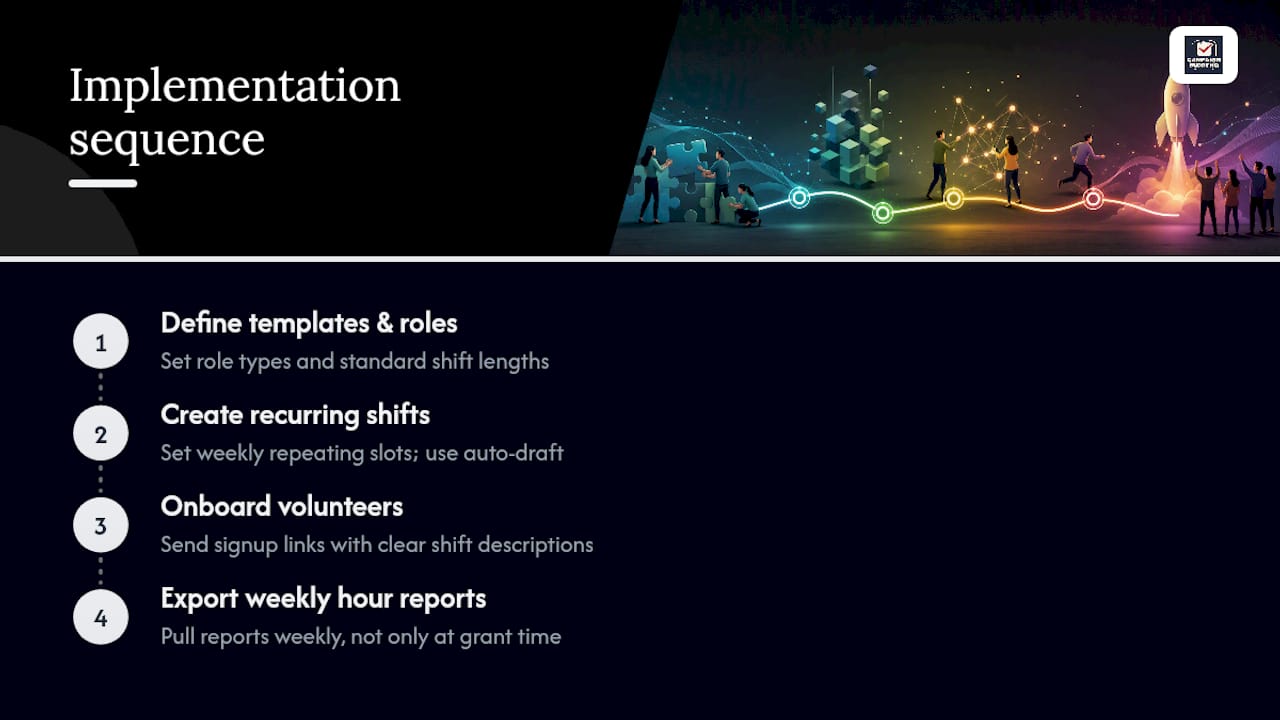
Most coordinators can go from signup to a working schedule in a single day if they follow a set order.
Start with a shift template, not a blank calendar. Define your role types (canvasser, phone bank caller, registration table volunteer) and standard shift lengths before you open the software. Most volunteer shifts run two to three hours, long enough to matter but short enough that people show up reliably.
Build recurring shifts next. If your program runs the same slots weekly, set them up as a repeating pattern rather than rebuilding the calendar every Monday. This is where auto-draft tools earn their cost, generating a fair multi-week roster that respects who's already maxed out their hours that week.
Onboarding comes third. Send new volunteers a signup link with clear shift descriptions, not a generic sign-up sheet. A structured onboarding checklist reduces the confused "what am I actually doing" messages coordinators get on day one.
Finally, set a weekly rhythm for pulling hour reports. Waiting until grant season to export volunteer hours is how coordinators end up reconstructing months of data from memory.
What does volunteer scheduling software actually cost?
Pricing usually has three moving parts: the base subscription, volunteer or user caps, and add-on features like SMS reminders.
Free tiers exist and work fine for small programs, but check the fine print. A free plan capped around 50 volunteers with limited monthly texts, similar to what Volunteer Shift Manager offers, is plenty for a single food pantry but tight for a multi-site nonprofit running weekly shifts across five locations.
Paid plans typically scale by active volunteer count or by number of shifts scheduled per month, not by seat count the way office software does. That distinction matters: a platform charging per coordinator seat behaves very differently at scale than one charging per volunteer roster size.
Add-ons are where costs sneak up. SMS reminders often cost more than email reminders once you exceed a free allotment. Export and reporting features are sometimes bundled into a higher tier rather than the base plan. Before signing anything, ask what happens to your bill if your volunteer count doubles during an election season or a disaster response surge. Campaign Buddy HQ's pricing follows a straightforward monthly subscription after a free 7-day trial with no credit card required, which avoids the surprise-invoice problem entirely.
Does it integrate with the tools you already use?
A scheduling platform that lives in isolation from your other tools creates double work. Check integration before you commit, not after.
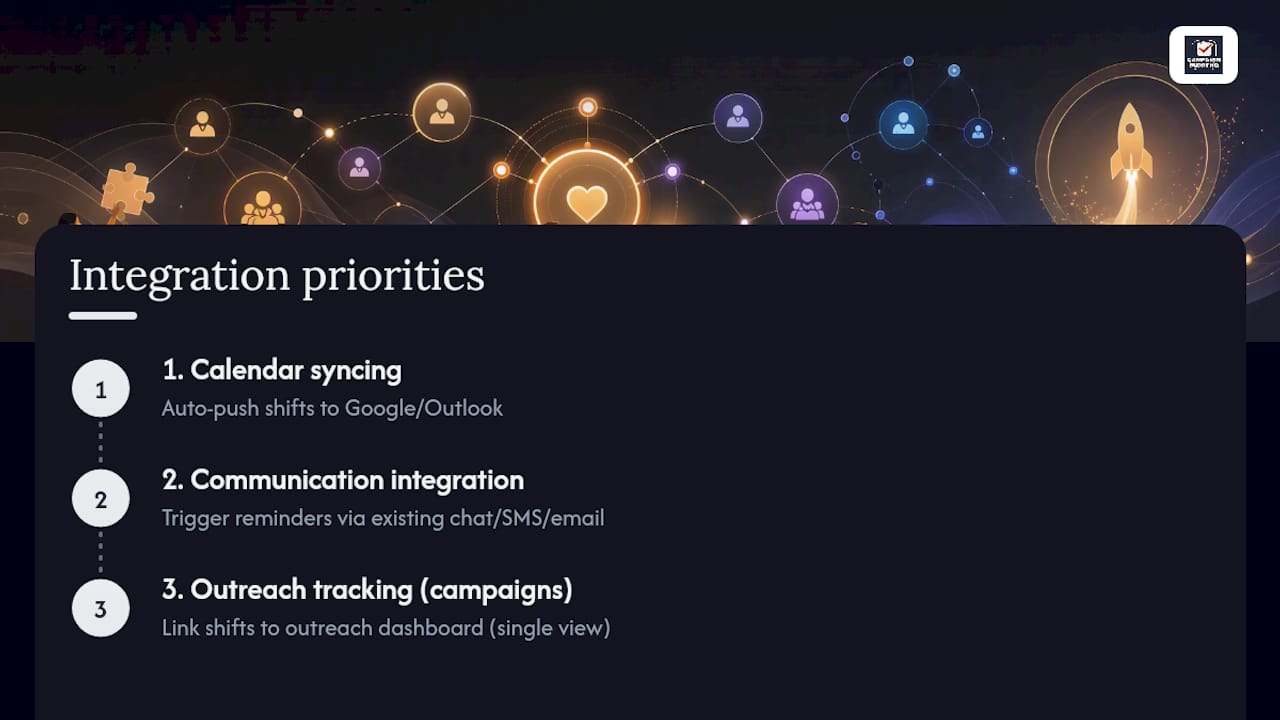
Calendar syncing matters most. If a volunteer's shift doesn't land on their phone calendar automatically, you'll field more "when am I working again" questions than you'd like. Most platforms offer calendar feeds that push confirmed shifts directly to Google Calendar or Outlook.
Communication tool integration is the second layer. If your organization already runs coordination through text threads or group chat apps, look for a platform that can trigger reminders through those same channels rather than adding a new app volunteers have to check separately. Automated reminders sent by email, SMS, or push notification, paired with a calendar feed, are what actually cut down on no-shows, according to ZoomShift's volunteer scheduling data.
For campaign teams specifically, integration with outreach tracking matters more than generic calendar sync. Campaign Buddy HQ links shift assignments to the same dashboard where you log doors knocked and calls made, so a coordinator sees volunteer coverage and outreach progress in one place instead of cross-referencing two systems. That single view is worth checking for during any demo, regardless of which platform you're evaluating.
Is volunteer data actually secure on these platforms?
Volunteer records often include phone numbers, home addresses, and sometimes background check status, especially for programs working near children or vulnerable populations. Treat this data with the same care you'd want for your own information.
Ask any vendor directly how volunteer data is stored and who can access it. A platform worth using should let you control which coordinators see full contact details versus just shift assignments. If your organization works with minors or vulnerable populations, background check compliance becomes its own layer of due diligence, and background check guidance for volunteer-heavy organizations is worth reviewing before you finalize any scheduling system, since the scheduling tool and the compliance process need to work together.
Waiver and consent storage is often overlooked until it's needed urgently, usually right before an event when someone realizes a signed form is missing. A platform that stores waivers alongside the shift record saves that scramble. Ask vendors plainly whether volunteer data is encrypted in transit and at rest, and whether they'll disclose a breach if one occurs. Vague answers here are a red flag regardless of how polished the rest of the demo looks.
How responsive is support when a shift goes wrong?
Support quality only reveals itself when something breaks, usually the night before a big event when three volunteers cancel at once.
Check what support channels are actually available before you sign up, not after. Email-only support with a 48-hour response window is fine for a routine question but useless the evening before a canvass launch. Look for live chat or phone support during the hours your events actually run, which for most volunteer programs means evenings and weekends, not standard business hours.
Ask during the sales process what happens if you need help fast. A vendor's response to that question, direct and specific versus vague and deflecting, tells you more about their real support model than anything on the pricing page. Campaign Buddy HQ, being built around the tight timelines of campaign work, positions its support around the reality that campaign problems don't wait for business hours.
What matters more than the feature list
Coordinators tend to over-index on feature checklists and under-index on how fast a tool gets a volunteer from "interested" to "on a shift." A platform can have every reminder channel imaginable and still fail if the signup flow requires an account, a password, and a confirmation email before someone can claim a slot.
The conventional advice, compare pricing tiers first, gets the order backwards. Pricing only matters after you've confirmed the tool fits your actual scheduling pattern: one-time events versus recurring multi-team shifts versus outreach-tied campaign work. A cheap platform that can't handle recurring shifts will cost you more in rebuilt calendars than a pricier tool that gets it right the first time.
For campaign teams specifically, the biggest gap in generic volunteer software isn't scheduling mechanics, it's the disconnect between "who's working Saturday" and "did Saturday's shift actually move the campaign's door and call goals." That's the piece outreach dashboards are built to close, and it's the reason a campaign-specific tool tends to outperform a generic scheduler once volunteer numbers grow past a handful of people.
Prioritize signup friction and shift-to-goal visibility first. Everything else on the feature list is secondary.
— Billy
A campaign-built alternative to hiring a scheduling consultant
Some organizations solve volunteer coordination by hiring a consultant or building a custom spreadsheet system from scratch. Both work, but both cost more time and money than most campaigns have to spare during a tight election cycle. Campaignbuddyhq takes a different path: it's built specifically for the daily grind of political outreach, where volunteer shifts, door counts, and call logs all need to live in one place instead of three disconnected tools.
Where a generic scheduler tracks who's working when, Campaignbuddyhq ties shift assignments to actual outreach phases and supporter tracking, so a coordinator can see coverage and campaign momentum side by side. It's built for rural and low-density canvass territories as much as dense urban turf, which most volunteer scheduling tools never account for. If you're organizing a campaign or advocacy push right now, start a free 7-day trial of Campaign Buddy HQ, no credit card required, and see whether it fits your team before your next canvass weekend.
Sources
- Volunteer Shift Manager · Simple Scheduling for All Nonprofits
- VolunteerCal — Flexible Volunteer Scheduling
- Volunteer Scheduling Software for Nonprofits and Organizations | ZoomShift