

The highest-return approach to campaign scheduling is a short, broad data-gathering phase followed by rules-driven, time-windowed delivery tied to KPI thresholds. Run 24/7 delivery first for 7–10 days to let platform algorithms collect real performance signals, then tighten your schedule around the windows that actually convert. Here is what to do this week:
- Set a 7–10 day broad window. Launch all channels on a 24/7 schedule before applying any restrictions. Algorithms need signals before they can optimize.
- Define KPI thresholds before day one. Decide in writing what triggers a pause (CPA exceeds target for 72 hours with sufficient volume) and what triggers a scale (CPA falls below target and volume rises). No thresholds means no fast decisions.
- Build a simple time-of-day test matrix. Map your expected peak windows against your audience's known behavior, then flag them as candidates for bid boosts once the broad phase ends.
- Add a launch-day checkpoint to your calendar. Treat go-live as the midpoint of a 6-week operational arc, not the finish line. Block time at day 28 for a live review, and reserve the final two weeks post-launch for pacing and optimization.
The logic is straightforward: restricting delivery before you have data often cuts the very windows that would have performed best. Gather first, then restrict with evidence.
Table of Contents
- What are campaign scheduling strategies, exactly?
- Core campaign scheduling best practices
- What does a 6-week campaign timeline actually look like?
- How do you implement scheduling on each major channel?
- How do you measure scheduling impact and know when to act?
- What tools and templates keep scheduling on track?
- Key Takeaways
- Why static calendars keep failing campaign managers
- Campaignbuddyhq gives you the operational layer most scheduling tools skip
- Useful sources
What are campaign scheduling strategies, exactly?
Campaign scheduling, sometimes called ad scheduling or dayparting, is the practice of controlling when your campaign runs. All major platforms default to 24/7 delivery; scheduling lets you override that default by limiting or weighting delivery to specific days, hours, or date ranges, and by applying bid adjustments that pay more or less during chosen windows.
When scheduling genuinely helps:
- Conversion rates vary sharply by time of day (e.g., a B2B audience that converts on Tuesday mornings and almost never on Sunday evenings)
- You are running a time-sensitive offer with a hard expiration
- Your operation has limited hours and calls or form submissions outside those hours go unanswered
- You need concentrated bursts around a specific event, debate, or fundraising deadline
When restrictive scheduling can hurt:
- You are in a low-volume testing phase and need every impression to build statistical confidence
- Your audience is small and further restricting delivery starves the algorithm
- You have not yet run the 7–10 day broad phase, meaning you are guessing at peak windows rather than measuring them
The distinction matters most on paid channels. For email and outreach, scheduling is always deliberate, but the same principle applies: do not lock in send windows before you have open-rate and click data by segment.
Core campaign scheduling best practices
Good scheduling is not a set-it-and-forget-it decision. It is an operational discipline. These ten practices cover the full arc from launch to optimization.
-
Start broad, then tighten. Run a 7–10 day unrestricted phase so the platform algorithm collects enough signals before you restrict delivery windows. Cutting too early means you may eliminate your best-performing hours before you know they exist.
-
Identify and lock peak performance windows. After the broad phase, pull a time-of-day and day-of-week performance breakdown. Look for conversion rate and CPA patterns, not just click volume. High clicks at 11 PM with zero conversions is a cost drain, not an opportunity.
-
Align schedules to customer behavior and time zones. A national campaign running on a single account time zone will misfire in other regions. Microsoft Ads supports ad-group-level scheduling and viewer time-zone adjustment; Google Ads ties all scheduling to the account time zone and cannot be changed after account creation. Plan accordingly.
-
Use KPI-based threshold rules. Document what happens if results break in either direction before launch. If CPA exceeds target for 72 hours and conversion volume is statistically meaningful, pause the underperforming window. If CPA drops below target and volume rises, increase budget allocation to that window.
-
Duplicate top-performing schedules across similar campaigns. Once a schedule proves itself in one campaign, export the time-of-day settings and apply them as a starting template for similar audiences or offers. You still run a short validation phase, but you start with an informed hypothesis.
-
Manage audience fatigue and overlap. Running three campaigns to the same audience simultaneously splits attention and inflates frequency. Use exclusion lists and audience suppression rules to prevent the same person from seeing your message across overlapping campaigns on the same day. For progressive campaign activity ideas that stagger touchpoints effectively, vary channel and message type rather than just timing.
-
Synchronize cross-channel timing. A paid search ad that runs Tuesday through Thursday while the supporting email goes out Monday creates a gap in the narrative. Map all channel schedules on a single calendar so a prospect moving from email to search to social sees a coherent sequence.
-
Set budget guardrails per timeframe. Daily and weekly budget caps prevent a single high-traffic window from consuming the full campaign budget before the week ends. Set a daily cap, then monitor pacing at the 50% mark of each day during the first week live.
-
Plan for seasonal and event-based adjustments. Monitor competitors to find windows when they are quiet or crowded, then time your heaviest spend accordingly. A political campaign running ads the week before a primary faces very different inventory costs than the same campaign running six weeks out.
-
Log and document every schedule rule. Write down what schedule is running, why it was set, and when it was last reviewed. Without documentation, a team member making a quick change at 9 PM can undo weeks of optimization without anyone noticing until the weekly report.
Pro Tip: When you move from the broad phase to a restricted schedule, do not delete the 24/7 data. Export the time-of-day performance report and keep it as your baseline. If a future schedule change underperforms, that baseline tells you exactly what you gave up.
Pro Tip: Treat launch day as the midpoint, not the milestone. Go-live at approximately day 28 in a 6-week arc means you still have two full weeks for pacing adjustments, creative swaps, and budget reallocation before the campaign closes.
What does a 6-week campaign timeline actually look like?
Integrated campaigns commonly follow a roughly six-week operational arc with go-live around day 28, leaving two weeks after launch for pacing and analysis. The table below maps that arc into phases, owners, and key scheduling milestones.
| Week | Phase | Key Tasks | Owner | Scheduling Milestone |
|---|---|---|---|---|
| Week 1 (Days 1–7) | Strategy | Finalize objectives, audience logic, KPI definitions, budget guardrails, decision rules | Strategist | Define KPI thresholds; document pause/scale rules |
| Week 2 (Days 8–10) | Strategy / Creative | Brief creative, confirm channel roles, set up tracking and attribution | Strategist + Creative | Confirm account time zones; map channel schedule windows |
| Week 3 (Days 11–21) | Creative | Produce assets, build landing pages, configure automation triggers | Creative + Media | QA schedule settings in each platform; confirm time-zone alignment |
| Week 4 (Days 11–28) | Launch | Final QA, soft launch, go-live (Day 28), 72-hour data quality check | Media + Analytics | Launch 24/7 broad phase; log start time and baseline metrics |
| — | Measure | Daily pacing checks, first optimization pass at 72 hours, apply schedule restrictions | Analytics + Media | Tighten schedule to peak windows; apply bid adjustments |
| — | Measure / Close | Weekly optimization loop, creative refresh if needed, post-launch report | Analytics + Strategist | Document final schedule rules; export time-of-day report |
Gantt charts are the right format for this kind of timeline because they visualize dependencies and separate active work time from waiting periods. An approval cycle that takes three days is invisible on a simple task list but obvious on a Gantt bar. Build buffer days around creative reviews, legal approvals, and platform policy checks.
Launch-day and post-launch checklist:
- Confirm all tracking pixels and conversion events are firing correctly
- Verify account time zones match your target audience's primary region
- Check that budget caps are set at both campaign and account levels
- Log the exact start time and initial impression volume as your baseline
- Schedule a 72-hour check on your calendar before you close the laptop on launch day
- At 72 hours: review data quality, confirm audience delivery, flag any CPA outliers
- Weekly: run the optimization loop (pause weak windows, scale strong ones, refresh creative if CTR is declining)
For campaigns that run longer than six weeks, the same arc applies but the Measure phase extends. Always-on programs benefit from a rolling four-week review cycle rather than a single post-campaign report. Small teams with limited creative capacity should compress the Creative phase by preparing modular assets that can be swapped without a full production cycle.
How do you implement scheduling on each major channel?
Channel-specific quirks trip up even experienced managers. Here is what to watch on each platform.

Search: Google Ads and Microsoft Ads
Google Ads enforces a single account time zone across all campaigns. You cannot change it after account creation, and all ad scheduling runs against that time zone. If your audience spans multiple regions, you need to either create separate accounts per time zone or design schedule windows that overlap the peak hours of all target regions.
Microsoft Ads gives you more flexibility: it supports ad-group-level scheduling and can align delivery to the viewer's local time zone rather than the account time zone. For multi-region campaigns, that feature alone can meaningfully improve performance without requiring separate account structures.
Search implementation checklist:
- Confirm account time zone before building any schedule
- Set campaign-level schedules first, then refine at ad-group level (Microsoft only)
- Apply bid adjustments during peak windows rather than hard exclusions during the first optimization pass
- Never apply restrictive schedules during the first 7–10 days of a new campaign
Social: Meta and paid social
Meta's lifetime budget campaigns distribute spend automatically across the flight dates, which means manual dayparting is only available on daily budget campaigns. If you switch from lifetime to daily budget to enable scheduling, your pacing logic changes entirely. Decide before launch which budget type you are using.
Creative sequencing matters as much as timing on social. Running the same creative for more than two weeks to the same audience typically drives frequency fatigue before the schedule itself becomes the problem. Rotate creative on a schedule, not just when performance drops.
Send-time testing requires at least two audience segments of sufficient size to produce reliable data. Split your list by time zone first, then test send times within each segment. Most email platforms (including those with send-time optimization features) need several sends of historical data before their predictions are reliable. Do not rely on default send-time recommendations for a new list.

Automation triggers add a scheduling layer that operates independently of your broadcast calendar. A welcome sequence triggered by a form submission runs on its own clock. Map those triggers on the same campaign calendar as your broadcast sends to prevent a prospect from receiving three emails in 24 hours because a trigger fired the same day as a scheduled blast.
Programmatic and DSPs
Dayparting on programmatic platforms works at the line-item level and interacts with frequency caps. Setting a tight daypart window without adjusting frequency caps can result in the same user seeing your ad multiple times within a short window during peak hours. Set frequency caps per day, not per campaign flight, when running dayparted programmatic.
Inventory availability during high-demand events (elections, major sporting events, news cycles) compresses sharply. CPMs spike and preferred placements sell out. For political campaigns especially, book premium inventory in advance and build a contingency schedule for remnant inventory if preferred placements are unavailable.
Common pitfalls across all channels:
- Forgetting to account for daylight saving time shifts mid-campaign
- Duplicating ad spend by running overlapping campaigns to the same audience without exclusions
- Setting schedules in the platform UI but failing to document them in the campaign brief
- Applying restrictive schedules before the broad data-gathering phase is complete
How do you measure scheduling impact and know when to act?
Measurement without a decision framework produces reports, not decisions. Structure your KPIs in three tiers, then attach rules to each.
| KPI Tier | Purpose | Examples |
|---|---|---|
| Primary | Confirms the campaign is producing the intended outcome | Qualified leads, donations, registrations, purchases |
| Secondary | Explains movement in the primary KPI | Landing page conversion rate, cost per qualified lead, form completion rate |
| Diagnostic | Identifies where friction exists | CTR, bounce rate, ad engagement rate, audience drop-off |
KPI rule examples:
- Pause rule. If CPA exceeds your target by more than 20% for a continuous 72-hour window AND conversion volume is high enough to be statistically meaningful, pause the underperforming time window and reallocate budget to the top-performing window.
- Scale rule. If CPA falls below target and weekly conversion volume is trending upward, increase daily budget by 20% and extend the active schedule window by two hours on each side of the current peak.
- Creative refresh rule. If CTR drops more than 30% from the campaign's first-week baseline while impressions hold steady, flag creative fatigue and initiate a refresh cycle before adjusting the schedule.
Optimization cadence:
| Cadence | What to check | Typical action |
|---|---|---|
| Daily (first week) | Pacing, data quality, delivery volume | Fix tracking errors, confirm audience delivery |
| 72 hours post-launch | CPA vs. target, conversion volume, time-of-day breakdown | Apply first schedule restrictions if data supports it |
| Weekly | Full KPI review, creative performance, budget pacing | Pause weak windows, scale strong ones, refresh creative |
For campaign progress monitoring that goes beyond ad platforms, track outreach activities (doors, calls, texts) on the same cadence so field and digital performance stay in sync.
Experiment checklist:
- Define a control window (the schedule you are testing against) before changing anything
- Run the test for at least 7 days to account for day-of-week variation
- Use holdout schedules (a time window deliberately left unchanged) to isolate the effect of the schedule change from other variables
- Attribute time-of-day lift by comparing conversion rate within the test window against the same window in the control period, not against the campaign average
What tools and templates keep scheduling on track?
Good scheduling falls apart without a system to maintain it. The tools matter less than the governance around them.
Tool categories to cover:
- Campaign calendar platforms. A shared calendar (Google Calendar, Notion, or a dedicated content calendar tool) gives every team member visibility into what is running, when, and on which channel.
- Gantt and timeline tools. Gantt charts expose waiting periods that simple task lists hide. An approval cycle that blocks creative production for three days is a scheduling risk, not just a project management inconvenience.
- Ad-platform scheduling features. Native scheduling in Google Ads, Microsoft Ads, and Meta is where rules get executed. Keep platform settings and your campaign brief in sync.
- Attribution dashboards. A single source-of-truth dashboard prevents the team from debating numbers from different systems during optimization reviews.
Template fields for every campaign scheduling item:
- Phase (Strategy / Creative / Launch / Measure)
- Owner (who is responsible for this task)
- Start and end date
- Dependencies (what must be complete before this task can start)
- KPI rules (what triggers a change to this schedule)
- Schedule windows (days, hours, time zone)
- Budget guardrails (daily cap, weekly cap, reallocation rules)
Governance checklist:
- One named owner for schedule changes (changes made without an owner are changes that cannot be audited)
- All schedule rules documented in the campaign brief, not just in the platform UI
- A review cadence set before launch (daily for week one, weekly thereafter)
- A single dashboard that everyone reviews, so optimization decisions are based on the same numbers
- A log of every schedule change with date, reason, and expected outcome
For tracking outreach activities alongside paid scheduling, political and advocacy campaigns benefit from logging field activity on the same weekly cadence as digital performance reviews. Separating those reviews creates blind spots.
Pro Tip: When mapping dependencies in your Gantt, add a "buffer" task between any external dependency (legal review, vendor delivery, platform policy approval) and the next active task. A one-day buffer on paper becomes a three-day delay in practice. Build it in before you commit the timeline to a client or stakeholder.
Key Takeaways
Effective campaign scheduling requires a broad data-gathering phase first, KPI-triggered rules second, and a documented governance system that keeps the whole team operating from the same schedule and the same numbers.
| Point | Details |
|---|---|
| Gather signals before restricting | Run an initial broad, 24/7 phase over several days before applying any schedule restrictions to avoid cutting peak windows prematurely. |
| Use KPI threshold rules | Define pause and scale rules before launch so the team can act within hours, not days, when performance breaks. |
| Treat launch as the midpoint | Go-live at approximately day 28 in a 6-week arc; reserve two weeks post-launch for pacing and optimization. |
| Sync cross-channel timing | Map all channel schedules on one calendar so paid, email, and field outreach tell a coherent story to the same audience. |
| Campaignbuddyhq for operational scheduling | Campaignbuddyhq maps daily and weekly planning, outreach logging, and campaign phases to the same operational arc described here. |
Why static calendars keep failing campaign managers
The most common scheduling mistake is not a bad time-of-day choice. It is treating the campaign calendar as a static approval document rather than an operational tool.
A static plan names goals and dates before launch, then waits for a post-campaign report to find out what happened. An operational plan builds KPI rules, review thresholds, and reallocation paths into the calendar itself, so the team already knows what to do when performance breaks in either direction. The difference shows up most clearly in the first 72 hours after launch, when data quality issues, audience delivery problems, and early CPA outliers demand fast decisions. Teams without pre-set rules spend those 72 hours in debate. Teams with rules spend them executing.
Two patterns show up repeatedly in well-run campaigns. First, moving budget after a 72-hour lift signal, rather than waiting for the weekly report, consistently captures performance before competitors adjust. Second, campaigns that skip audience exclusion lists when running overlapping schedules almost always generate audience fatigue complaints within two weeks, not because the creative is weak, but because the same person is seeing three messages a day across channels that were never coordinated.
The scheduling playbook in this article is not complicated. Broad phase, KPI rules, documented governance, and a calendar that treats launch as a midpoint. What makes it hard is the discipline to follow it when a campaign is live and the instinct is to start pulling levers before the data is ready.
Campaignbuddyhq gives you the operational layer most scheduling tools skip
Most scheduling tools handle the calendar. Campaignbuddyhq handles the operational layer underneath it: daily and weekly planning, outreach logging, supporter tracking, and campaign phases that map directly to the 6-week arc described here. For political campaigns, issue advocacy groups, and fundraising organizers, that means your field schedule and your digital schedule live in the same system, reviewed on the same cadence, by the same team.
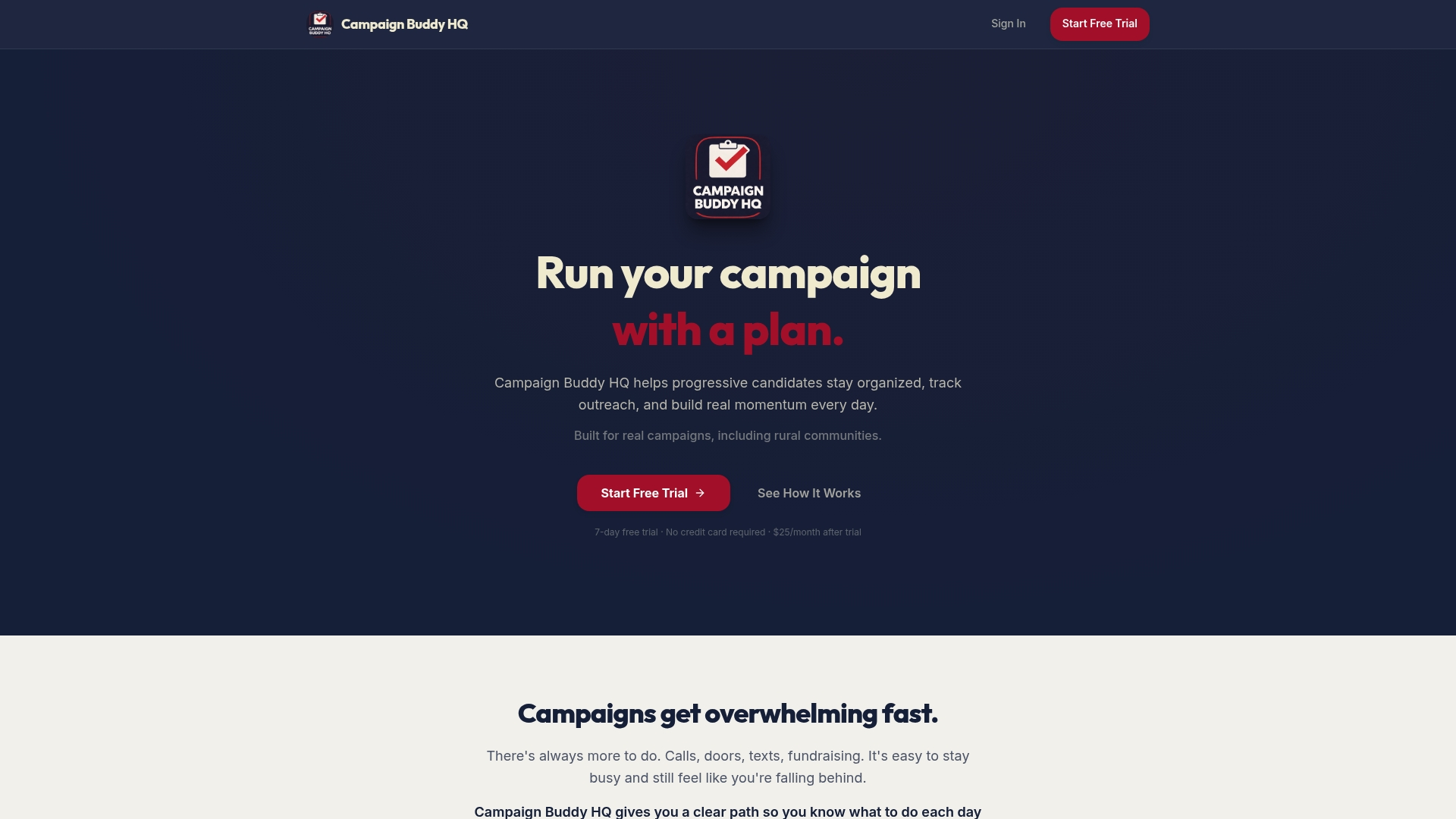
The features align directly with the checklist in this article. Campaign phases map to the Strategy, Creative, Launch, and Measure structure. Daily planning tools enforce the 72-hour and weekly optimization cadence. Outreach logging creates the single source-of-truth dashboard that prevents teams from debating numbers from different systems. And because Campaignbuddyhq is built for real-world campaign scenarios, including rural and low-density communities, the workflow holds up whether you are running a statewide digital campaign or a door-to-door outreach program in a small district.
There is no credit card required for the free 7-day trial. Start your trial at Campaignbuddyhq and map your next campaign's schedule directly into the platform before your next planning meeting.
Useful sources
The following sources informed this article and offer deeper reading on specific topics:
- Onplana Marketing Campaign Template — The source for the 6-week operational arc and go-live at day 28 framework used throughout the timeline section.
- WordStream: Ad Scheduling Guide — Covers 24/7 platform defaults, bid adjustments, and the Google Ads vs. Microsoft Ads time-zone differences cited in the platform implementation section.
- Reachlabs: Marketing Campaign Planning — The source for the operational vs. static planning distinction, KPI tier framework, and pre-launch decision rules.
- Monday.com: Marketing Gantt Chart Guide — Explains how Gantt charts expose waiting periods and dependencies; referenced in the timeline and tools sections.
- REYO: Campaign Planning Guide — Covers competitive intelligence and timing strategy for identifying launch windows.
- Realize: Campaign Scheduling Best Practices — The primary source for the 7–10 day broad data-gathering recommendation cited in the BLUF and best practices sections.
- Campaignbuddyhq — The platform referenced throughout for operational campaign scheduling, outreach tracking, and campaign phase management.