

Petition tracking has to capture one thing above all: a signature you can defend when someone challenges it. That means every entry needs a full name, a verifiable email or address, a circulator ID, and a sheet number tied to a chain of custody. Get those four elements right and you can produce a verified count that survives sampling, not just a raw tally that collapses under scrutiny. A tool designed for petition tracking is built around exactly that workflow.
TL;DR:
- Verifiable signatures require full names, correct addresses, and double opt-in emails, with sheets and signatures logged before circulation begins.
- A structured intake process with consistent data fields and official export formats prevents data disorganization and potential disqualification.
- Chain-of-custody practices like serializing sheets and using affidavits significantly reduce rejection risks during physical handling.
- Conducting a mock audit by cross-checking signatures against voter rolls helps identify invalid data and prevent last-minute disqualifications.
- Tracking daily verified signatures, confirmation rates, and geographic distribution enables early detection of issues and helps meet jurisdiction-specific requirements.
Table of Contents
- Quick Checklist: The 7 Essentials To Record On Day One
- Set Up Your Petition Tracking System: Fields, Flows, And Verification Steps
- Physical-Sheet Handling And Chain-Of-Custody Best Practices
- Verify Signatures Early: The Mock Audit And Sampling Strategy Before Filing
- Online Petition Best Practices: Collect Real Signatures You Can Defend
- Monitor Progress: KPIs And Reports To Track Daily And Weekly
- Legal And Timeline Essentials: What Varies By Jurisdiction
- Campaign Buddy HQ Perspective: How We Design Tracking For Petition Drives
- Try A Tool Built For Petition Tracking
- Sources
Quick Checklist: The 7 Essentials To Record On Day One
Before your first circulator hits the doors, lock these fields into your intake process:
- Full legal name and address matching how the signer is registered to vote, not a nickname or shorthand.
- A verifiable email address for online signers, confirmed through a working double opt-in link.
- Sheet number and circulator ID assigned before any sheet leaves the office.
- Date of signature, logged the moment it happens, not reconstructed later.
- Deduplication rule applied on normalized email or name plus address before you publish any public count.
- A public-facing definition of "verified" so your reported number matches what you can actually back up.
- Secure storage for both scanned sheets and the digital database, with backups that survive a lost laptop or a rained-on clipboard.
Miss any one of these and your "verified" count becomes a guess dressed up as data.
Set Up Your Petition Tracking System: Fields, Flows, And Verification Steps
Your intake system needs a data model that mirrors what election officials actually check. That means structured fields, not a spreadsheet someone fills in from memory at the end of the week.
- Build your field set first. Capture full name, email, city and zip, date signed, sheet ID, and circulator ID for every entry, whether it comes from a paper sheet or a web form.
- Choose your export format early. Comma-separated files with consistent headers make it far easier to hand data to a county clerk or convert it for a mock audit later.
- Decide between a canonical site form and a hosted petition platform. A form on your own domain gives you full control over the data model and lets you enforce every required field. A hosted platform can move faster but often locks your export options and adds a third party to your chain of custody.
- Layer in fraud controls in the right order. Run a honeypot field and CAPTCHA at submission, send the double opt-in confirmation next, then deduplicate on normalized email before the signature ever counts toward your public total. Double opt-in confirmation and deduplication are the two steps that convert raw submissions into numbers you can defend.
- Prepare exports the way officials expect them. Match your county's required fields exactly. State checklist requirements can void an entire sheet over a missing affidavit or a nonconforming form, so build your export template around the official checklist, not your own convenience.
Get the sequence wrong, and you'll spend the week before filing rebuilding data that should have been clean from day one. Our outreach tracking guide covers how to connect this intake flow to your broader field operation.
Physical-Sheet Handling And Chain-Of-Custody Best Practices
Most petition rejections trace back to sloppy paper handling, not weak public support. A large share of petition failures come from broken chain of custody and missing circulator affidavits rather than any shortage of genuine signers.
Fix that with a few unglamorous habits:
- Serialize every sheet before it leaves the office, and log who took it out and when.
- Cap the number of sheets per circulator so no single person is juggling more pages than they can track responsibly.
- Require a signed affidavit on every returned sheet before it enters your count.
- Issue an intake receipt at every bundle handoff, so you know exactly which sheets came back and when.
- Keep a secure backup, physical and digital, so a lost bundle doesn't erase weeks of work.
- Tie physical sheets to digital records with a simple barcode or serial number scheme, so any sheet can be traced back to its circulator in seconds.
None of this requires expensive equipment. A numbered sheet, a logbook, and a consistent handoff ritual will catch most problems before they become disqualifications. Election offices routinely exclude sheets that fail format checks or lack circulator affidavits before they even get to counting, which means a clean intake process is worth more than a few extra signatures.
Verify Signatures Early: The Mock Audit And Sampling Strategy Before Filing
Running your own mock audit before you file is the cheapest insurance a petition drive can buy. It costs a few hours of staff time and can save an entire campaign from mass disqualification.
- Pull a random sample of sheets, not just the ones that look clean, and cross-reference names and addresses against the voter rolls.
- Check handwriting patterns. Repeated handwriting across supposedly different signers is one of the fastest ways an entire sheet gets thrown out.
- Flag invalid or mismatched addresses, missing affidavits, and any sheet that fails your own format checklist.
- Use the results to make a decision, not just a report: discard the worst sheets, retrain the circulators behind recurring errors, or go collect more signatures if your margin is thin.
- Build in a cushion. Officials often verify through statistical sampling rather than a full review, and sample sizes and projection rules differ by state, so a raw count that barely clears the threshold is a real risk.
A mock audit that matches sheets to voter rolls is the single most cost-effective step you can take before filing, and it is one most campaigns skip until it is too late.
Online Petition Best Practices: Collect Real Signatures You Can Defend
An online petition that racks up thousands of submissions overnight can still be worthless if half of them are duplicates, bots, or throwaway emails. The fix starts with where you host the form.
- Host your canonical petition on your own domain, and require a full name, a verifiable email, and a location on every submission.
- Run double opt-in confirmation so every signer proves the email is real before it counts.
- Apply a honeypot field to catch automated spam before it ever hits your database.
- Deduplicate on normalized email or name plus address before you publish any public number.
- Define "verified" explicitly on the page itself, so your progress bar reflects confirmed signers, not raw form fills.
Pro Tip: A visible progress counter drives more signatures, but only if the number shown is the one you've already deduplicated. A count that later gets revised downward after publication does more damage to credibility than a slower, honest number ever would.
Design your thank-you screen around one clear next action, whether that's a share prompt or a volunteer sign-up, rather than burying the confirmation in clutter.

Monitor Progress: KPIs And Reports To Track Daily And Weekly
Four numbers tell you almost everything about the health of a petition drive: raw submissions, verified signatures, confirmation rate, and field-level drop-off. Track them daily, not weekly, because a stalled confirmation rate is far easier to fix on day three than day thirty.
- Raw submissions show volume, but they are the least reliable number in your report.
- Verified signatures are the number you can actually defend, after dedupe and confirmation.
- Confirmation rate tells you whether your email flow or door script is losing people between "signed" and "verified."
- Geographic breakdown by county or district matters wherever distribution requirements apply, so tag location at the point of collection, not afterward.
Watch the trend lines. A dropping confirmation rate over three consecutive days usually means a broken email link or a circulator collecting incomplete information, and it's worth a same-day fix rather than a note in next week's summary. Our guide on tracking campaign activities has a format for weekly snapshot reports that works well for both leadership updates and compliance records. If you already track conversion metrics for digital outreach, the same logic applies directly to petition confirmation rates.
Legal And Timeline Essentials: What Varies By Jurisdiction
Signature thresholds are not one-size-fits-all. Most states set requirements between roughly 5% and 10% of registered voters or votes cast, though North Dakota bases its threshold on total population instead.
Track these variables inside your intake system, not in a separate document nobody checks:
- Verification method, since states use raw count, statistical sampling, or full review, each with different cushion requirements.
- Geographic distribution rules, which apply in sixteen states and require you to tag signatures by district or county at the point of collection.
- Signature expiration windows and circulation periods, which determine your real filing deadline, not just the date on the calendar.
Build a simple state-rule matrix and keep it inside your tracking tool. Our petition drive planning guide walks through setting that timeline before you start collecting.
Campaign Buddy HQ Perspective: How We Design Tracking For Petition Drives
Petition drives fail for boring reasons: a missed affidavit, a duplicate email nobody caught, a sheet that sat in someone's trunk for two weeks with no log entry. Some outreach and supporter tracking features map directly onto sheet numbering, circulator assignment, and verification checkpoints, because that's the actual shape of the problem.
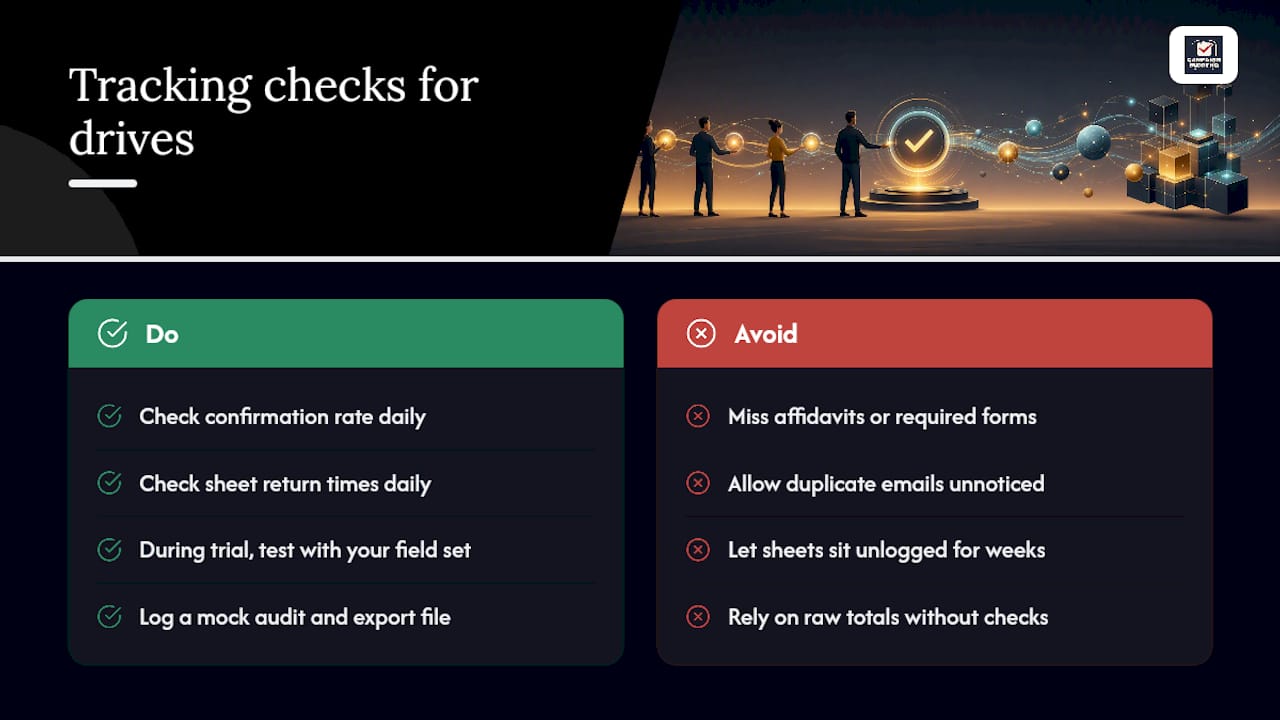
My recommendation to every organizer: run a daily check on confirmation rate and sheet return times, not just total signatures. A drive that looks strong on raw numbers can be quietly bleeding validity if circulators aren't returning sheets on schedule.
During a trial, test whether the platform can hold your field set, log a mock audit, and export a clean file. That's the real test, not the dashboard.
— Billy
Try A Tool Built For Petition Tracking
Spreadsheets and sticky notes get a petition drive through week one. They fall apart around week three, when you're juggling hundreds of sheets, dozens of circulators, and a filing deadline that doesn't move. This platform was built for that exact moment, giving you daily outreach logging, circulator assignment, and supporter tracking in one place instead of five disconnected files.

During a free trial, you can test three things specifically: import a sample sheet and confirm every field maps correctly, run a mock deduplication pass on a batch of test entries, and pull a weekly progress report to see if it matches the format your leadership actually needs. If those three checks pass, you'll know the platform can carry your real drive. Start the trial on the Campaign Buddy HQ site and set up your first campaign phase today.
Sources
- Signatures for Initiatives — NCSL
- How raw count signature verification works in petitions — LegalClarity
- How to create an online petition form — Commoninja
- Checklist - Candidate Petition Validation/Signature Verification — Florida Department of State