

Automation in advocacy is defined as software-enabled execution of repetitive tasks, including supporter messaging, action tracking, and list segmentation, so campaign staff can focus on strategy and relationship building. The role of automation in advocacy has moved from a nice-to-have to a core operational requirement. Nonprofits and political campaigns using automated follow-up sequences see 3x to 5x higher completed actions per campaign than manual single-touch efforts. That gap is not a marginal improvement. It is the difference between a campaign that builds momentum and one that stalls. Campaignbuddyhq was built specifically to help political activists and campaign organizers close that gap without needing a technical team.
What is the role of automation in advocacy?
Automation in advocacy handles the tasks that drain staff time without requiring human judgment. List segmentation, follow-up scheduling, status tagging, and petition delivery all fall into this category. When these tasks run automatically, organizers reclaim hours every week for the work that actually requires a human: knocking on doors, building coalitions, and persuading undecided voters.
The operational savings are concrete. Automated list segmentation and routine task management save 13–23 hours of staff time per campaign. For a small team running multiple campaigns simultaneously, that is the equivalent of adding a part-time staff member without the payroll cost.

The industry term for this practice is "advocacy automation," and it sits at the intersection of digital advocacy automation and campaign management software. The concept covers everything from CRM-based workflows to AI-driven personalization. Understanding where automation fits in your operation is the first step toward using it well.
How does automation improve supporter engagement and outreach efficiency?
Automation improves engagement by making every supporter interaction feel timely and relevant, not generic. The mechanism is behavioral triggering: when a supporter signs a petition, opens an email, or donates, the system automatically tags that action and queues the next appropriate message. This replaces the manual process of checking spreadsheets and sending individual follow-ups.
Segmented campaigns achieve 40–60% higher response rates than generic one-size-fits-all emails. That improvement comes directly from automation tagging supporters by behavior and past actions, then routing them into the right message sequence. A first-time petition signer gets a different follow-up than a repeat donor who has already contacted their legislator three times.
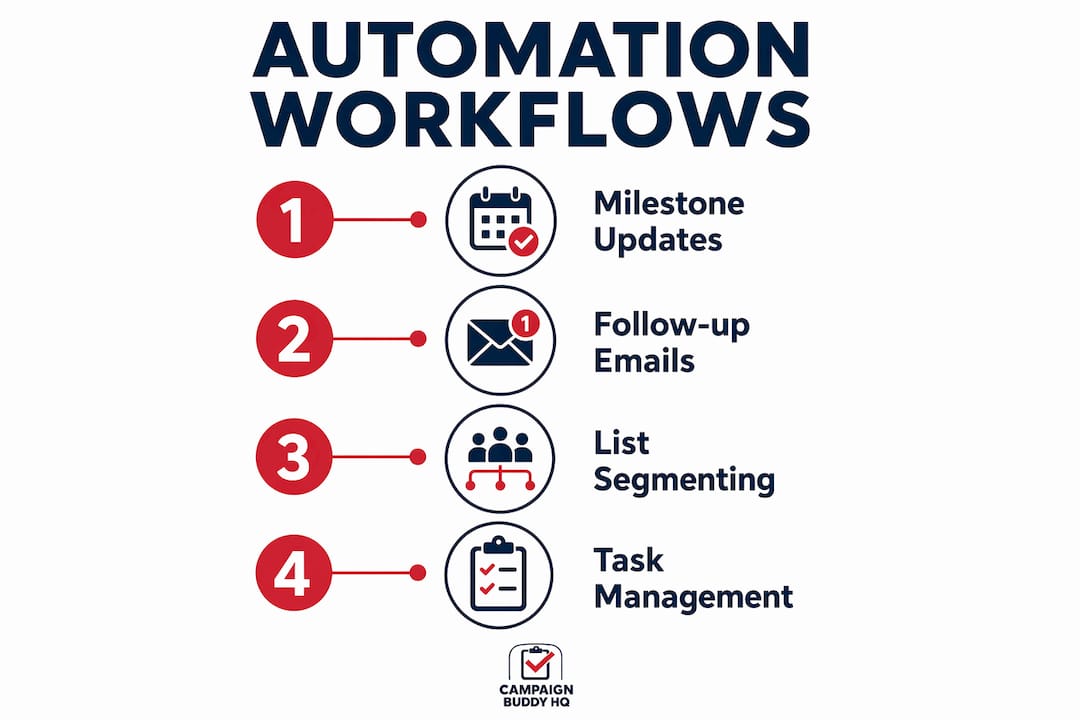
Four common automation workflows that drive results
- Follow-up email sequences. After a supporter completes an action, the system sends a confirmation, then a progress update, then a next-step ask. Each message triggers based on time elapsed or the supporter's next action.
- Legislator contact batching. Automation collects individual messages and delivers them in batches to legislative offices, which increases perceived constituent pressure and reduces staff coordination time.
- Petition delivery notifications. When a petition hits a milestone, the system automatically alerts signers and sends a fresh call to action, keeping momentum alive without manual intervention.
- Status tagging and list hygiene. Supporters who unsubscribe, bounce, or go inactive get tagged automatically, keeping your lists clean and your deliverability rates high.
Milestone-triggered updates increase late-campaign action rates by 22%. That number matters because late-campaign periods are typically when volunteer energy drops and staff bandwidth is thinnest.
Pro Tip: Set your milestone triggers at 25%, 50%, 75%, and 100% of your action goal. Each milestone gives you a natural reason to re-engage supporters who took action early but have gone quiet.
| Workflow type | Primary benefit | Best timing |
|---|---|---|
| Follow-up email sequence | Increases action completion rates | Within 24 hours of initial action |
| Legislator contact batching | Amplifies constituent pressure | During active legislative sessions |
| Milestone-triggered alerts | Sustains late-campaign momentum | At 25%, 50%, 75% of goal |
| Automated list tagging | Maintains data quality | Continuous, real-time |
What are common best practices and pitfalls in using automation for advocacy?
The biggest pitfall in digital advocacy automation is letting the technology do all the talking. Automated messaging without human strategy risks damaging credibility and long-term supporter trust. Supporters can tell when a message was written by a template rather than a person who cares about the cause.
The solution is a "high-tech, high-touch" approach. Automation handles the logistics. Humans handle the narrative, the tone, and the moments that require genuine empathy. A phone call from a volunteer after a supporter attends their first event carries weight that no automated email can replicate.
Best practices for balancing automation and authenticity:
- Write automation copy in a human voice. Read every automated message out loud before you schedule it. If it sounds like a press release, rewrite it.
- Reserve personal outreach for high-value moments. Use automation for routine follow-ups, but have a real person reach out when a supporter makes a major gift or takes a leadership role.
- Set reply-to addresses that actually work. Automated emails that come from "noreply@" addresses signal that you do not want a conversation. Use a real inbox.
- Audit your sequences every 60 days. Supporter behavior changes. A sequence that worked in the spring may feel tone-deaf by fall.
- Use "expert-guided AI" where humans direct the messaging strategy and AI executes the delivery. Expert-guided AI produces the best outcomes in social change advocacy because it keeps humans accountable for the message.
Pro Tip: Before launching any automated sequence, send yourself through it as a test supporter. Experience the full journey from signup to final ask. You will catch tone problems and broken links that no checklist will find.
How can grassroots organizations leverage automation with limited resources?
Small teams and volunteer-run organizations often assume automation requires a technical staff member or a large budget. Neither is true. The most impactful automation tasks for under-resourced groups are backend processes that require no coding at all.
Generative AI helps grassroots advocacy groups reduce manual policy document review from days to minutes by summarizing content. A volunteer coordinator who previously spent two days reading a 200-page legislative bill can now get a usable summary in under an hour. That time goes directly into organizing.
Practical automation options for small teams:
- No-code workflow builders. Platforms with visual drag-and-drop interfaces let non-technical staff build trigger-based sequences without writing a single line of code.
- AI-powered data hygiene. Tools that automatically de-duplicate supporter records, fix formatting errors, and flag invalid email addresses. Backend data hygiene like de-duplication and list cleaning frees staff to focus on advocacy strategy rather than spreadsheet maintenance.
- Natural language AI prompts. Staff without coding skills can use plain-English prompts to build scripts, format data exports, or create tag-based segments. Natural language AI enables "accidental techies," campaign staff with no coding background, to build functional micro-tools that solve specific outreach problems.
- Template-based communication libraries. Pre-approved message templates that volunteers can personalize slightly before sending, maintaining brand consistency without requiring every message to be written from scratch.
Technology enables small campaigns to operate at a scale that previously required much larger organizations. A five-person team using automation tools can run outreach programs that once required a staff of twenty.
For a practical framework on campaign outreach at scale, the step-by-step approach matters as much as the tools you choose.
Which automation tools are essential for an effective advocacy system?
An effective advocacy automation system runs on four layers. Each layer depends on the one below it. Skipping a layer creates gaps that no amount of messaging automation can fix.
The foundation is your data layer, typically a CRM that stores supporter records, tracks interactions, and maintains list integrity. Without clean, unified supporter data, every automated message risks going to the wrong person with the wrong ask. Data hygiene and integration across layers are essential for relevance and personalization.
Above the data layer sits the automation connector layer, which includes workflow builders and trigger logic. This is where you define the rules: if a supporter does X, send Y after Z hours. Above that sits the communication channel layer, covering email, SMS, and social media distribution. The top layer is tracking and analytics, where you measure open rates, action completion rates, and list growth to refine your sequences over time.
| Layer | Function | Key metric to track |
|---|---|---|
| Data (CRM) | Stores and segments supporter records | List health and de-duplication rate |
| Automation connectors | Triggers workflows based on supporter actions | Sequence completion rate |
| Communication channels | Delivers messages via email, SMS, social | Open rate, click-through rate |
| Tracking and analytics | Measures campaign performance | Action completion rate, conversion rate |
For a deeper look at how technology shapes campaign outcomes, the architecture decisions you make early determine how well your system scales.
Key Takeaways
Automation in advocacy multiplies campaign output by handling repetitive tasks automatically, freeing staff to focus on the high-value human work that drives real political change.
| Point | Details |
|---|---|
| Action completion rates | Automated follow-up sequences produce 3x to 5x more completed actions than manual campaigns. |
| Staff time savings | Automation saves 13–23 hours per campaign through list segmentation and routine task management. |
| Personalization drives response | Segmented, behavior-triggered campaigns achieve 40–60% higher response rates than generic emails. |
| High-touch balance | Automation handles logistics; humans must own narrative, tone, and relationship-critical moments. |
| Grassroots access | No-code tools and natural language AI give small teams the same automation capacity as large organizations. |
Why automation alone will never win a campaign
I have watched campaigns spend months building elaborate automation systems and then lose because their supporters felt like numbers in a database. The technology worked perfectly. The human connection did not.
The most effective advocacy operations I have seen treat automation as a force multiplier for human effort, not a replacement for it. A well-timed automated text reminds a supporter to call their senator. But the reason that supporter picks up the phone is because a volunteer had a real conversation with them three weeks earlier. Automation delivered the prompt. The relationship delivered the action.
The rise of the "accidental techie" in campaign work is genuinely exciting. Staff members who never considered themselves technical are now building custom data tools with plain-English AI prompts. That democratization is real, and it matters. But the risk is that organizations mistake tool-building for strategy. Knowing how to automate a message sequence is not the same as knowing what to say.
My honest recommendation: spend as much time on your message architecture as you do on your automation architecture. Write the human version of every communication first. Then build the automation around it. The role of campaign communication in winning is not diminished by automation. It is amplified by it, for better or worse.
Transparent, ethical AI use also matters more than most campaign managers admit. Supporters who discover that a "personal" message was entirely AI-generated feel deceived. Use automation to scale authentic communication, not to simulate it.
— Billy
How Campaignbuddyhq supports advocacy teams
Campaignbuddyhq gives political activists and campaign organizers the tools to track outreach, manage supporter data, and build campaign momentum without needing a technical team to set it up.
The platform covers daily and weekly planning, outreach logging for doors, calls, and texts, supporter tracking, and campaign phase management. It is built for real-world conditions, including rural and low-density communities where manual tracking breaks down fastest. The setup requires no credit card and no coding knowledge. A free 7-day trial lets your team test every feature before committing. If you are ready to put advocacy automation to work for your campaign, Campaignbuddyhq is the place to start.
FAQ
What is advocacy automation?
Advocacy automation is the use of software to execute repetitive campaign tasks, including supporter messaging, list segmentation, and action tracking, automatically based on predefined triggers or supporter behavior.
How much time does automation save per campaign?
Automated list segmentation and routine task management save 13–23 hours of staff time per campaign, freeing organizers to focus on direct voter and supporter engagement.
Does automation hurt the authenticity of advocacy messaging?
Automation risks damaging credibility when it replaces human strategy entirely. The best results come from expert-guided AI, where humans direct the messaging and automation handles delivery and timing.
Can small volunteer-run campaigns use automation effectively?
Yes. No-code workflow builders and natural language AI tools give volunteer organizations the same automation capacity as larger campaigns, without requiring technical staff or large budgets.
What metrics should I track in an automated advocacy campaign?
Track action completion rate, email open rate, click-through rate, and list health. Milestone-triggered updates that move these metrics signal a well-functioning automation system.