

Build a single, CRM-backed election volunteer management list that captures contact details, availability, turf assignments, roles, shift records, and outreach history. Import it into your campaign CRM, activate real-time dashboards for turf coverage and shift fill rates, and you have the operational foundation every field campaign needs. The fastest next step: start a 7-day free trial with Campaignbuddyhq to test imports and dashboards before your first field week.
Industry guidance is clear: platforms that integrate volunteer tracking with your main CRM and provide real-time dashboards reduce fragmented data and cut operational overhead. Spreadsheets and disconnected apps create the exact problems you cannot afford during a campaign sprint.
Pro Tip: Download a CSV template before your first import. Mapping fields in advance prevents the most common data-entry errors and saves hours of cleanup later.
Table of Contents
- What fields does your election volunteer management list need?
- How do you organize lists, teams, and workflows inside your campaign CRM?
- What should your dashboards track in real time?
- How do you prevent fragmented volunteer data?
- What privacy and security basics apply to U.S. campaign volunteer data?
- How long does setup take, and what does it cost?
- Step-by-step checklist to build and deploy your volunteer list
- Campaignbuddyhq covers the checklist from day one
- Key takeaways
- Why clean volunteer lists decide campaigns, not just logistics
- Useful sources and further reading
What fields does your election volunteer management list need?
Every volunteer record should answer four questions: Who is this person? When can they work? Where do they operate? What have they done? Structure your data model around those four questions and your imports will stay clean.
Contact and identity fields
Start with the basics: full name, preferred contact method, primary phone, email, and mailing address. Add an internal volunteer ID and, where available, a voter file ID. The internal ID is your deduplication anchor. Without it, the same person imported twice creates two records that diverge over time and corrupt your outreach history.
Availability and geography
Availability should use structured values, not free text. A field that reads "weekends, maybe mornings" cannot drive automated scheduling. Use enums: days of the week, time blocks (morning/afternoon/evening), a recurring flag, and a maximum weekly hours field. For geography, store precinct, county, turf polygon or ward tag, and walking route code as discrete fields. Organizing supporter lists with turf tags from the start makes filtered reporting possible later.

Roles, skills, and engagement signals
| Field | Type | Example Values |
|---|---|---|
| Role type | Enum | Canvasser, Phone banker, Precinct captain |
| Training completed | Boolean/date | Door-knock certified: 2026-04-05 |
| Language skills | Multi-select | Spanish, Vietnamese, English |
| Volunteer source | Enum | Event signup, Referral, Web form |
| Last active date | Date | 2026-04-05 |
| Shift completion rate | Percentage | — |
Segmenting volunteers by engagement and effectiveness, specifically by recent activity and completed shifts, helps prioritize assignments and focus coaching where it produces the most turnout impact.
Assignment history and outreach logs
Each shift assignment needs a shift ID, check-in and check-out timestamps, outreach outcomes (contacted, reached, supporter, undecided), and a notes field. Keep these as separate records linked to the volunteer profile by foreign key. That structure keeps the profile clean while preserving a full activity trail.
A single CSV row example:
VOL-00142, Jane Ramos, jane@email.com, 555-0198, Precinct 14, Ward B, Canvasser, Mon/Wed/Sat, Morning, 12hrs/wk, Spanish, SHF-0041, 2026-04-05 09:00, 2026-04-05 12:30, 14 doors contacted, 6 supporters
Pro Tip: Prefer enum-coded fields for availability, turf, and role. Free-text entries in those columns break filters, dashboards, and automated reminders downstream.
How do you organize lists, teams, and workflows inside your campaign CRM?
Structure matters as much as the fields themselves. A well-organized CRM separates what is permanent from what changes shift to shift.
-
Map your objects correctly. Contacts hold permanent fields (name, phone, address). Volunteer profiles extend contacts with campaign-specific fields (role, turf, availability). Assignment records are ephemeral: they link a volunteer ID to a shift ID and store outcomes. Building your supporter list with this separation means exports stay relational and auditable.
-
Create role-based teams. Field canvassers, phone/text teams, and precinct captains each need their own team object. Nest teams under a precinct captain so escalation paths are automatic. A captain who can see their team's shift board without accessing other precincts' data is both more effective and less of a security risk.
-
Build shift templates before you build shifts. A template holds: shift ID, turf, start and end time, capacity, required role, and materials checklist. Version templates when turf boundaries change. Never edit a live template mid-campaign; clone it instead.
-
Automate the routine. Set reminders 48 hours and 2 hours before each shift. Configure check-in rules (GPS confirmation or manual override). Create follow-up tasks for volunteers who miss a shift. Build an escalation alert for any shift that hits 48 hours out with less than 70% capacity filled.
-
Import in sequence. Contacts first, then volunteer profile fields, then shift templates, then assignments. Running them out of order breaks foreign-key relationships and forces manual repair.
Warning: Skipping deduplication rules before import is the single most common cause of fragmented volunteer records. Define your unique ID field and run a dedupe pass before every import, not after.
| Template Field | Required | Notes |
|---|---|---|
| Shift ID | Yes | Auto-generated or sequential |
| Turf / Precinct | Yes | Match enum in volunteer profile |
| Start / End time | Yes | standard timestamp format |
| Capacity | Yes | Integer |
| Required role | Yes | Match role enum |
| Materials checklist | No | Free text or linked doc |
Pro Tip: Use a political advocacy workflow guide to map your escalation paths before you configure automation. Automation built on an unclear workflow creates more problems than it solves.
What should your dashboards track in real time?
The KPIs that matter most for managing election volunteers are shift fill rate, fill velocity (how quickly open shifts get claimed), coverage by turf (percentage of precincts with assigned teams), volunteer retention rate, and contact-to-supporter conversion. Analytics-driven scheduling improves fill rates and contact outcomes when managers act on these numbers daily, not weekly.
| KPI | Dashboard Widget | Alert Threshold |
|---|---|---|
| Shift fill rate | Shift board (open/filled) | Below 70% at 48 hrs out |
| Coverage by turf | Map heatmap by precinct | Any precinct unassigned at 2 weeks out |
| Volunteer retention | Retention trend chart | Drop of 10+ percentage points week over week |
| Contact-to-supporter rate | Outreach funnel | Below campaign baseline |
| Volunteer activity | Activity feed | No activity in 14 days |
Design dashboards with turf and time-window filters. A low-coverage alert set at less than 70% assigned within two weeks of an event triggers targeted recruitment before the gap becomes unfillable.
- Track individual volunteer performance alongside team-level metrics.
- Export shift fill and retention data by precinct weekly for post-event reconciliation.
- Log volunteer hours in exportable reports for grant compliance and post-election analysis.
Pro Tip: Spot coaching opportunities by comparing individual completion rates against team averages. A volunteer completing 60% of shifts in a team averaging 85% usually has a scheduling conflict, not a motivation problem.
How do you prevent fragmented volunteer data?
Manual reentry is the primary cause of siloed records. A coordinator who updates a spreadsheet, then re-enters the same data into the CRM, then exports to a separate phone-banking tool has created three records that will diverge within days.
The rule: The CRM is the single source of truth for all volunteer interactions. Outreach logs, shift records, and contact updates live there and nowhere else. Every other tool syncs to it.
Follow this process flow:
- Onboard volunteers through a self-signup portal that writes directly to the CRM.
- Import any bulk records via the canonical CSV template with unique IDs.
- Enable near-real-time sync for dashboards; queue offline check-ins for merge on reconnect.
- Run a weekly audit export to verify record counts and flag duplicates.
- Reconcile after each event: match check-in logs to assignment records and close open shifts.
Connecting volunteer activity to supporter records in your CRM creates a unified view that supports volunteer-to-donor conversion and prevents duplicate records from forming across tools.
- Require exportable CSV and API access from any platform you evaluate.
- Store timestamped change logs so you can audit who updated a record and when.
- Never share raw volunteer lists outside the campaign without explicit consent and a logged disclosure.
Pro Tip: Prefer native CRM volunteer objects over Zapier-style patches. Middleware connections break silently and often at the worst possible moment.
What privacy and security basics apply to U.S. campaign volunteer data?
Volunteer data is personal data. Treat it accordingly before the first import.
Security checklist before import: Enforce strong password policy, require admin MFA, restrict export permissions to named roles, and confirm encryption at rest and in transit.
- Minimize what you collect. Store only the fields your operations actually use. A field you collect but never query is a liability.
- Role-based access. Precinct captains see their turf. Phone team leads see their lists. Only admins export full records.
- Encryption and backups. Require encryption at rest and in transit. Test restores, not just backups.
- Data-sharing consent. Obtain explicit consent before sharing lists with partner organizations and log every disclosure.
This is practical operational guidance, not legal advice. Consult qualified counsel for regulated compliance questions specific to your campaign's jurisdiction.
Pro Tip: Use anonymized exports for post-election analysis. Strip direct identifiers and work with aggregate turf and engagement data instead.
How long does setup take, and what does it cost?
| Campaign Size | Timeline | Key Milestones |
|---|---|---|
| Small (1–2 admins) | 1–2 weeks | Import contacts, configure shifts, train admins |
| Medium (field teams) | 3–5 weeks | CRM/voter file integration, dashboard setup, pilot team |
| Large (multi-county) | 6–12 weeks | API syncs, role-based access, full data migration |
Pricing varies by several factors:
- Number of user seats and permission tiers
- API access and custom integration requirements
- Total record volume (contacts, volunteers, shifts)
- Onboarding and support level
- SMS or call credits for automated reminders
Small campaigns often underestimate onboarding time. Budget at least one week for field mapping, dedupe, and a pilot shift before opening sign-ups to the full volunteer pool.
Step-by-step checklist to build and deploy your volunteer list
Pre-import
- Secure admin access and enable MFA on all admin accounts.
- Create your field mapping template with unique volunteer IDs defined.
- Document dedupe rules and run a test import with 10–20 sample rows.
Import and validate
- Import contacts, then volunteer profile fields, then shift templates, then assignments.
- Validate 5% of imported rows against source data.
- Run dedupe and resolve conflicts before opening the system to staff.
Test with a pilot
- Run 2–3 pilot shifts in a single turf with a small team.
- Test automated reminders, check-in flows, and export functions.
- Validate that dashboards reflect pilot data accurately.
Deploy
- Open shift sign-ups to the full volunteer pool.
- Assign precinct captains and confirm role-based access.
- Monitor KPIs daily for the first week: fill rate, coverage, retention.
One-week launch plan:
- Day 1: Admin setup, MFA, field mapping
- Day 2: Bulk import and dedupe
- Day 3: Pilot shift configuration and reminder test
- Day 4–5: Pilot shifts run; review dashboard data
- Day 6: Fix gaps, adjust templates, brief precinct captains
- Day 7: Full deployment; assign owners to each KPI
A structured onboarding checklist reduces early attrition and catches workflow gaps before they affect field operations.
Pro Tip: Assign a named owner to each checklist item with a deadline. Checklists without owners are wish lists.
Campaignbuddyhq covers the checklist from day one
Campaignbuddyhq is built for exactly the workflow above. Supporter and volunteer tracking, daily and weekly planning, outreach logging across doors, calls, and texts, role-based access, and real-time dashboards are all native to the platform. You are not stitching together separate tools.
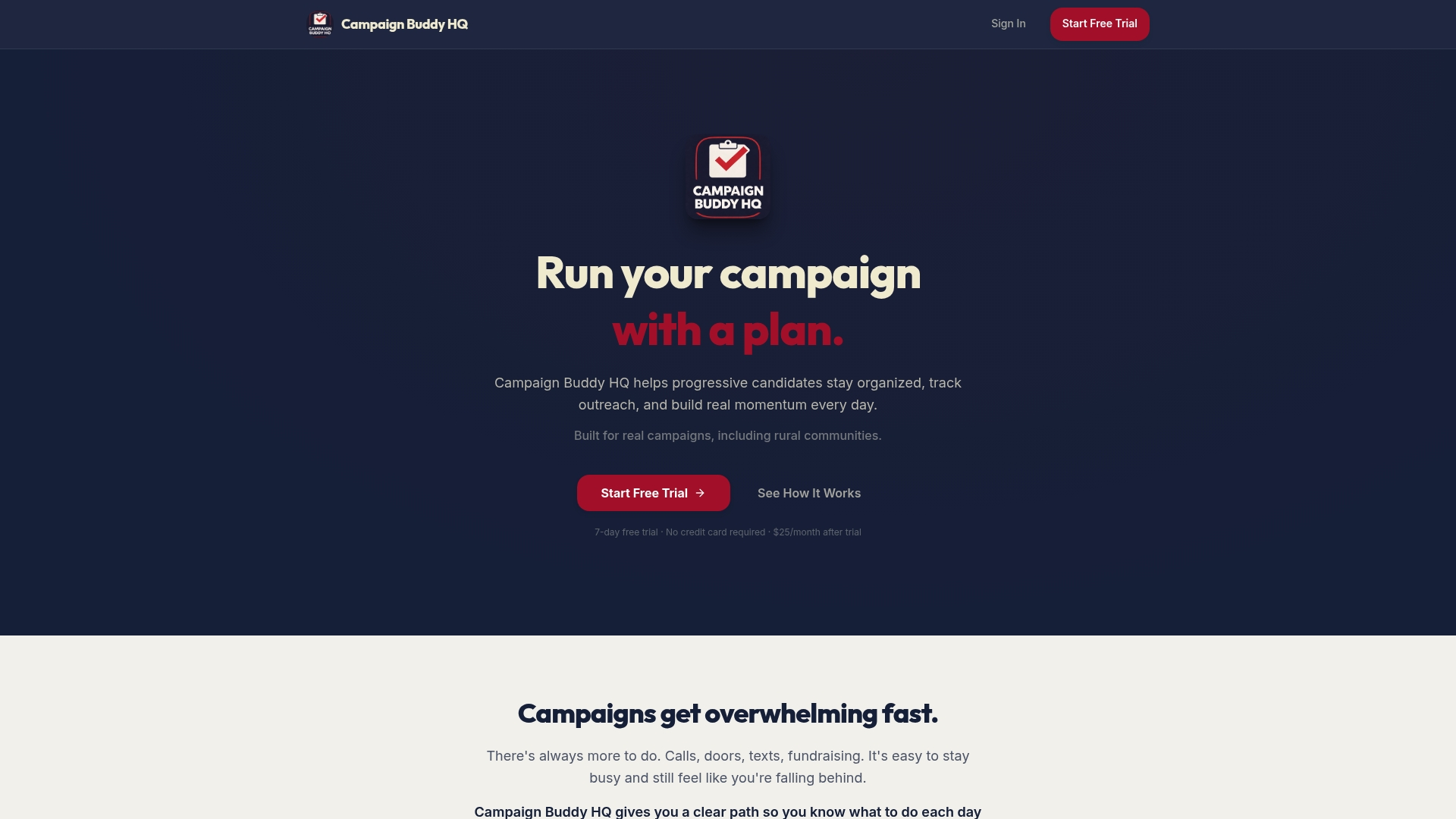
The platform's import templates map directly to the field model described here. Shift templates, automated reminders, and CSV/API exports are included. Onboarding resources walk your first admin through the setup sequence so the first week does not stall on configuration. The 7-day free trial requires no credit card, which means you can run a full pilot shift, test your dashboards, and validate exports before committing to a subscription.
Campaignbuddyhq also handles the rural and low-density scenarios that generic tools miss: turf configurations for sparse precincts, flexible shift structures for part-time volunteers, and progress visualization that keeps small teams focused on the right doors.
Start your free trial at Campaignbuddyhq and import your first volunteer list today.
Key takeaways
A single CRM-backed volunteer list with structured fields, real-time dashboards, and role-based access outperforms any combination of spreadsheets and disconnected apps for managing election volunteers at scale.
| Point | Details |
|---|---|
| Structured fields beat free text | Use enums for availability, turf, and role to enable automation and accurate dashboards. |
| CRM is the single source of truth | Link outreach logs and shift records to volunteer profiles; never maintain parallel spreadsheets. |
| Three core KPIs to monitor | Track shift fill rate, coverage by turf, and volunteer retention rate from day one. |
| Pilot before full rollout | Run 2–3 shifts in one turf first to surface integration and workflow gaps early. |
| Campaignbuddyhq maps to the checklist | The platform covers import templates, shift management, outreach logging, and real-time dashboards natively. |
Why clean volunteer lists decide campaigns, not just logistics
The conventional wisdom treats volunteer management as an administrative task. It is not. A fragmented volunteer list means your canvassers hit the same doors twice, your phone team calls people who already committed, and your precinct captain has no idea which shifts are empty until the morning of. That is not an admin problem. That is a turnout problem.
What actually separates campaigns that hit their contact goals from those that fall short is not the number of volunteers. It is whether the coordinator can see, in real time, which turf is covered and which is not. A clean list with reliable dashboards turns a reactive coordinator into a proactive one. The same model works whether you are running a rural statehouse race with 40 volunteers or a county-wide campaign with 400. The fields do not change. The scale does.
One thing most campaign guides skip: train your staff on data hygiene, not just the software. A tool is only as good as the discipline behind it. One coordinator who enters free text in an enum field, or skips the volunteer ID on import, can corrupt a week of clean data. Fifteen minutes of training on why structured fields matter prevents that.
Useful sources and further reading
- Advocacy and Campaign Management Software for Nonprofits: Features, Benefits, and Buyer Evaluation Guide — industry guidance on CRM integration, real-time dashboards, and volunteer-software feature evaluation.
- Campaign Volunteer Onboarding Checklist for 2026 — step-by-step onboarding sequence and security checks before import.
- How to Build a Supporter List for Your Campaign — import templates, dedupe rules, and relational object design.
- Organizing Supporter Lists: A 2026 Guide for Campaigns — tagging, turf mapping, and export-ready list structures.
- Role of CRM in Campaigns: A Manager's Guide — canonical record strategy and outreach log integration.
- Campaign Volunteer Power: 5 Strategies That Win — segmentation and prioritization tactics for engagement-based assignments.
- 2026 Campaign Outreach Trends: Win with Smarter Strategies — analytics-driven scheduling and shift optimization.