
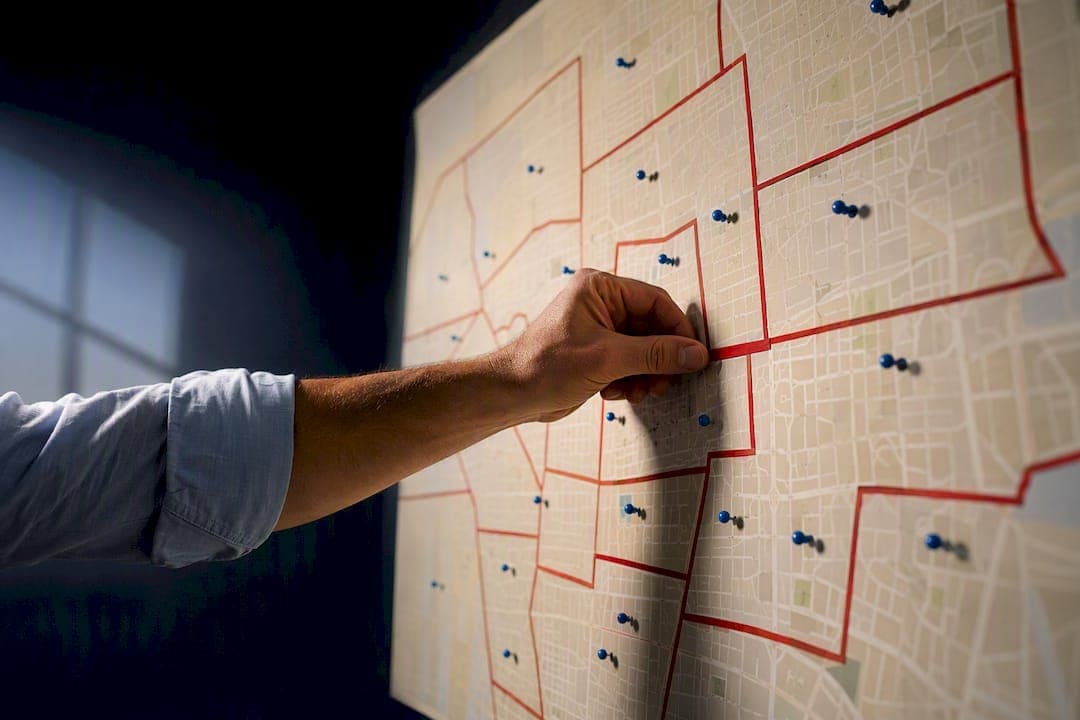
Turf cutting is the process of splitting a precinct or voter universe into small, contiguous sections so each volunteer gets a walkable, assignable packet instead of a random address list. The practical payoff is fewer overlaps and shorter shifts volunteers actually finish. As a rough guide, plan for 30 to 50 doors in dense urban areas, 40 to 80 in the suburbs, and 10 to 25 in rural areas where drive time eats the clock.
TL;DR:
- Proper turf sizing recommends 30 to 50 doors in urban areas, 40 to 80 in suburbs, and 10 to 25 in rural regions to avoid volunteer burnout.
- Mapping should use natural boundaries like roads or precinct lines, and additional checks for isolated addresses help prevent overlaps and missed houses.
- Using simple tools such as spreadsheets, Google My Maps, and manual drawing can be effective for small efforts without advanced software.
- Clear assignment practices, including start and end points, naming conventions, and progress tracking, improve volunteer accountability and campaign efficiency.
- Discipline in sizing and naming turfs outweighs the importance of mapping software features in keeping volunteers engaged and avoiding logistical mistakes.
Table of Contents
- What Is Turf Cutting in Political Canvassing?
- How Do You Cut Turf Step by Step?
- What Tools Do You Use to Cut Turf?
- What's the Ideal Turf Size for Walking?
- How Do You Share and Track Turfs?
- How Do You Fix Common Turf Cutting Mistakes?
- What Does Turf Cutting Look Like in a Real Campaign?
- What's Overrated in Turf Cutting Advice?
- Cut, Assign, and Track Turf Without the Spreadsheet Chaos
- Sources
What Is Turf Cutting in Political Canvassing?
Turf cutting matters because it turns a sprawling voter file into something a human being can finish in an afternoon. Without it, canvassers get handed scattered addresses across three neighborhoods, burn half their shift driving, and quit early out of frustration. Strategic turf cutting is especially valuable for grassroots and independent campaigns running on volunteer hours instead of paid canvass staff.
Not every outreach effort needs cut turf. Broad phone or text programs can run off a flat list because there's no walking involved. But any door-to-door push, whether it's an early volunteer training launch, a persuasion round, or GOTV in the final week, benefits from defined boundaries. Cut turf also gives you accountability: when a packet has a name, a door count, and a start point, you know exactly what got covered and what didn't.
How Do You Cut Turf Step by Step?
Cutting turf well is less about the software and more about the order of operations; for election-related workplace and volunteer management insights, see Eye on the election. Skip a step and you'll spend election week fixing overlaps instead of knocking doors.
- Pull and filter the voter universe. Filter by party, vote history, or support score depending on the goal. A GOTV list looks nothing like a persuasion list.
- Map the area and pick boundaries. Use natural dividers like major roads, precinct lines, or block clusters rather than arbitrary splits down the middle of a street.
- Size turfs by door count and geography. Draw the polygon, check the door count in the legend, and adjust the shape until it fits your target range.
- Close the polygon and save. Before finalizing, scan for isolated dots sitting outside the boundary. The Minnesota DFL's turf cutting guide recommends checking for unassigned houses at this stage, not after the packet is already printed.
- Assign with clear start and end points. Include a meeting spot, a return location, and instructions on how to report results.
Pro Tip: Design turfs so the volunteer starts and ends at the same corner whenever possible. It cuts out shuttle logistics and makes it much easier to hand off an unfinished packet to someone else mid shift.
This same sequence, goal first, list second, map third, works whether you're organizing your first canvass launch or your fiftieth. For a broader view of how turf cutting fits into the rest of your field plan, see this step-by-step guide to campaign outreach.
What Tools Do You Use to Cut Turf?
Most voter file platforms include a polygon based turf cutter: a dot map of the universe where you draw a boundary and the tool reports a live door count as you adjust the shape. Once you close the polygon, it generates a list number or exports a printable packet that loads onto a canvasser's phone or a paper walk sheet.
Not every campaign has access to one of those platforms, and you don't need one to get started. A simple workaround works fine for smaller efforts:
- Export the voter file to a spreadsheet with addresses and support scores.
- Import it into Google My Maps as a layer.
- Group pins by street or house number range so the walking order makes sense on foot.
- Manually draw a boundary around each cluster and count addresses by hand.
Auto-cut features save time on large universes where you need a dozen turfs cut fast. Manual boundaries work better on odd-shaped neighborhoods, cul-de-sacs, or areas with physical barriers like a highway or a river running through the middle of a precinct.
Pro Tip: If you're stuck with a spreadsheet and no mapping software, sort by zip code and then street name before you start drawing turfs by hand. It saves an enormous amount of backtracking.
What's the Ideal Turf Size for Walking?
Door count is the single biggest lever you control, and getting it wrong is the fastest way to burn out a volunteer. Recommended packet sizes typically run 30 to 50 doors, though some campaigns push to 50 to 150 depending on density and how experienced the canvasser is.
- Urban: 30 to 50 doors, tight geography, short walking distance between houses.
- Suburban: 40 to 80 doors, more spread out, still walkable in under two hours.
- Rural: 10 to 25 doors, because drive time between houses eats most of the shift.
A few rules hold across every density level:
- Keep turfs contiguous so a volunteer can pick up an adjacent packet without a long drive.
- Avoid splitting turf across physical barriers like highways, rivers, or gated communities.
- Use consistent naming, something like "Ward 2A, GOTV, June 10," so anyone on your team can find and reassign it later.
Packet size isn't just about coverage math. Turfs sized to leave canvassers with a clear sense of finishing something tend to keep volunteers coming back for the next shift far more than squeezing a few extra doors onto an already long list.
How Do You Share and Track Turfs?
You have three basic ways to get a turf into a volunteer's hands, and each fits a different situation.
- List numbers pushed to an app. Fastest for teams already using a mobile canvassing tool, and results sync back automatically.
- Printed packets. Best for volunteers without smartphones or in areas with spotty cell service; include a map, the list number, a script, and space for notes.
- Manual list numbers called in. A fallback when nothing else is available; slower, but it works.
Whatever the format, build in a way to mark turfs complete so you can spot unfinished ones fast and reassign before the shift ends. A detailed canvassing checklist can help standardize what goes on every walk sheet.
How Do You Fix Common Turf Cutting Mistakes?
- Overlap between turfs: compare boundary lines side by side and trim the polygon before printing.
- Missing or mislocated addresses: switch to satellite view to catch houses set back from the road or miscoded in the voter file.
- Isolated dots outside the polygon: a quick visual scan before saving catches these; training staff to check for stray addresses prevents rework later.
- Volunteer no-shows: keep a short list of easy-to-reassign turfs ready so a no-show doesn't leave a whole neighborhood uncovered.
What Does Turf Cutting Look Like in a Real Campaign?
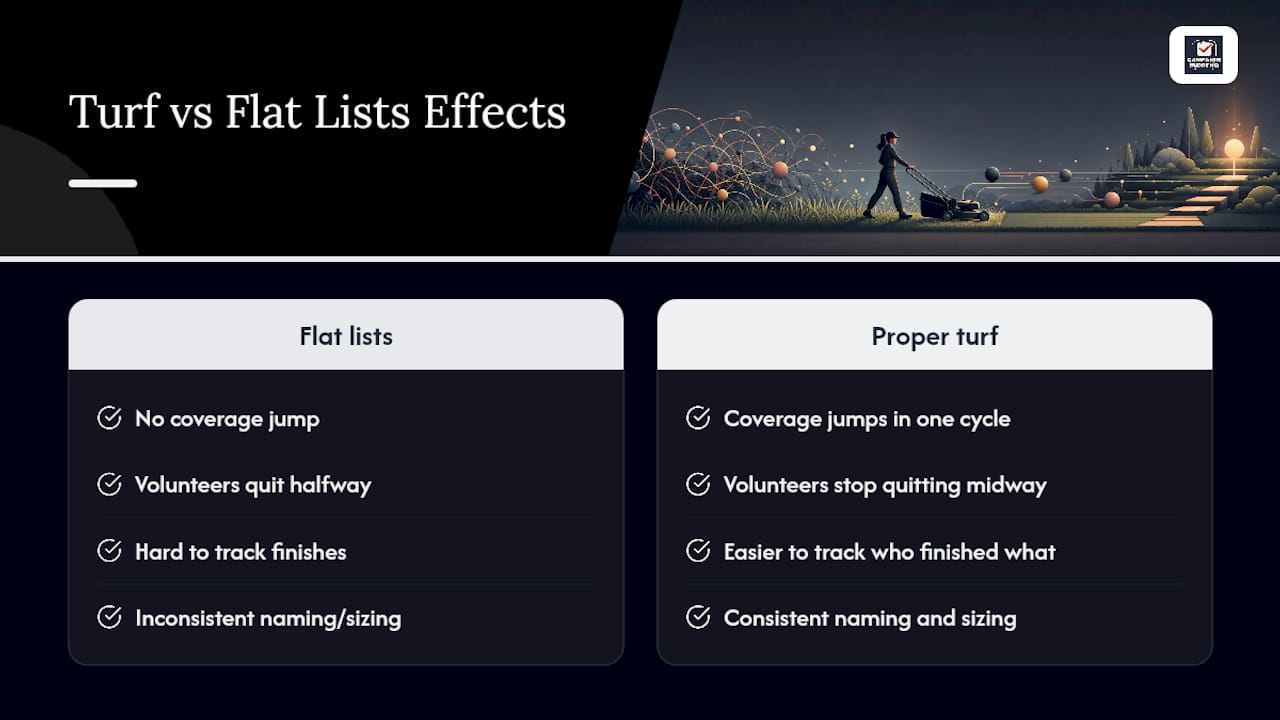
Campaigns that switch from flat address lists to properly cut turf usually see coverage jump within a single canvass cycle, mostly because volunteers stop quitting halfway through oversized lists. Consistent naming and sizing also make it far easier to track who finished what. Reference the election volunteer management guidance for assigning and following up on turf.
What's Overrated in Turf Cutting Advice?
Most turf cutting advice fixates on the software: which platform draws the prettiest polygon, which one auto-generates the slickest packet. That's the wrong obsession for a campaign running on volunteer labor and a shoestring budget. The tool matters far less than the discipline behind it, meaning the door count you pick, the naming convention you stick to, and whether anyone actually checks for isolated dots before hitting save.
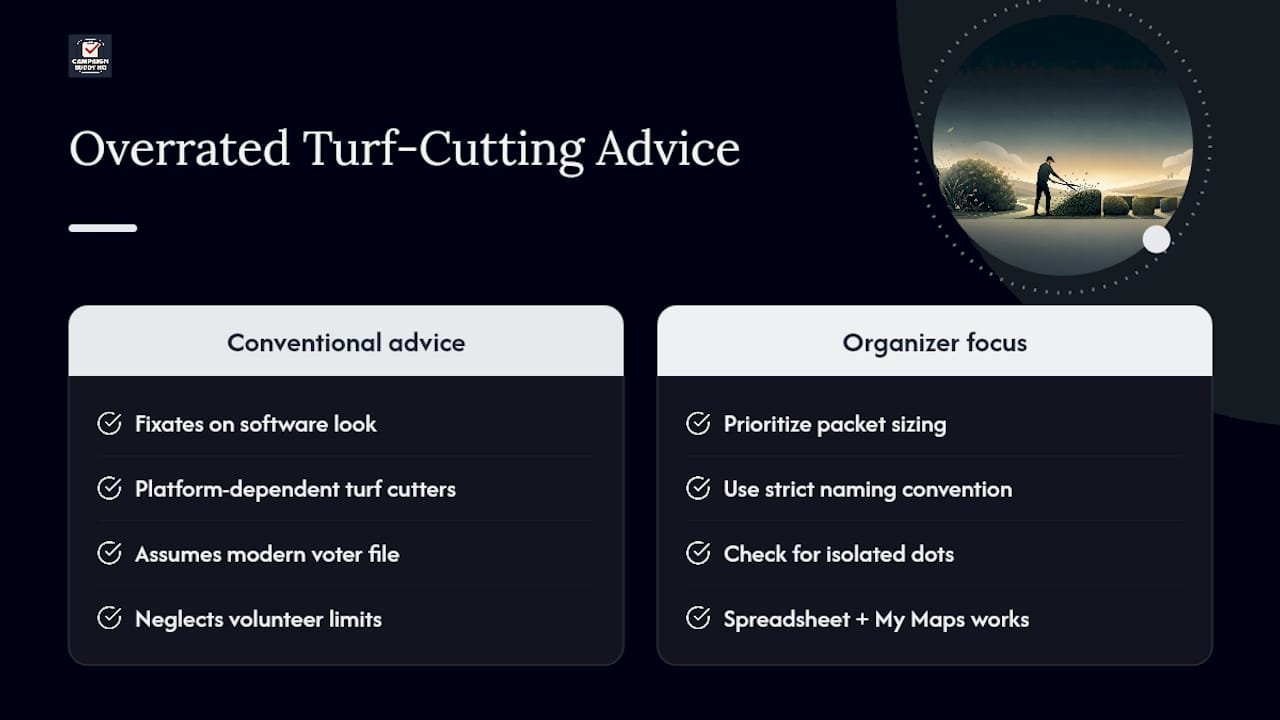
Here's where conventional advice falls short: it assumes every campaign has a modern voter file platform with a built in turf cutter. Plenty don't. A spreadsheet and Google My Maps, sorted properly and sized honestly, gets you 90 percent of the way there. What separates campaigns that keep volunteers coming back from ones that burn through them isn't the mapping software. It's whether the packet size respects the volunteer's time.
If you take one thing from this, prioritize sizing and naming before you touch any tool. Get those two things right and the software becomes a formality.
— Billy
Cut, Assign, and Track Turf Without the Spreadsheet Chaos
Campaign Buddy HQ takes the workflow above and builds it into daily and weekly planning instead of a one-off spreadsheet exercise. You set outreach goals, log doors, calls, and texts as they happen, and see which turfs got finished and which need reassigning, without digging through paper packets to find out.

The platform's daily planning tools map directly onto the steps in this guide: define your goal, pull your priority contacts, assign the work, then track completion against your targets in real time. It's built for the same rural and low-density realities that make turf sizing tricky in the first place, so shift lengths and door counts stay realistic instead of theoretical. Campaign Buddy HQ offers a 7-day free trial with no credit card required. Start your free trial and get your next canvass shift organized before your volunteers show up.